21genX: Curated Chronicles
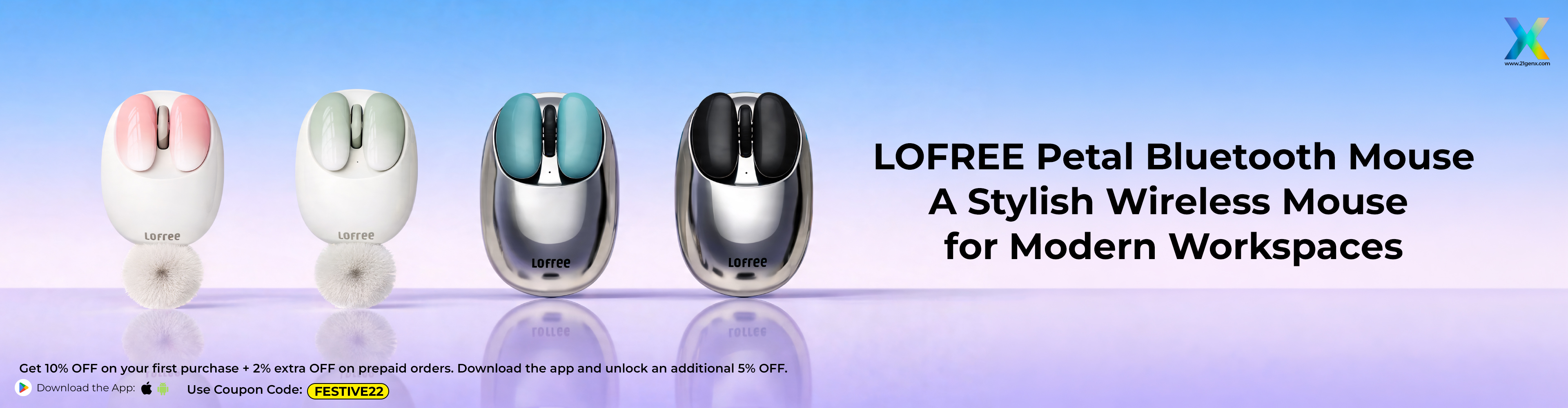
LOFREE Petal Bluetooth Mouse A Stylish Wireless Mouse for Modern Workspaces
A computer mouse is one of the most frequently used accessories in any workspace. Whether you are working on documents, attending online meetings, studying, or creating digital content, a reliable mouse plays an important role in your everyday computing experience. But functionality is not the only thing that matters. Design, colour, and personal style can also influence how an accessory fits into your workspace. The LOFREE Petal Bluetooth Mouse brings a distinctive design approach to a familiar computer accessory. With its decorative styling and four colour options, it offers an alternative to conventional computer mice for users who appreciate technology products with personality.
Available in Blush, Emerald, Peacock, and Silver, the LOFREE Petal mouse gives users different ways to coordinate their computer accessories with their desk setup. Whether you prefer soft colours, richer tones, or a more understated appearance, the available variants provide options for different aesthetic preferences. For anyone searching for a LOFREE Petal mouse in India, this guide explores its design, wireless functionality, colour options, potential everyday uses, and the factors to consider before choosing it.
LOFREE Petal Bluetooth Mouse Overview
The LOFREE Petal Bluetooth Mouse combines everyday computer functionality with a distinctive visual identity. Its design takes inspiration from nail art, giving it a decorative appearance that differs from the straightforward styling of many conventional office mice.
Alongside its appearance, wireless connectivity and adjustable sensitivity are important considerations for users evaluating the product for their daily computer activities.
Feature ----------------------- Details
Brand ------------------ LOFREE
Product Name ---------------------- Petal Bluetooth Mouse
Product Type ------------------ Wireless computer mouse
Available Variants ---------------- Blush, Emerald, Peacock, Silver
Design Inspiration ---------------- Nail art-inspired styling
Connectivity ---------------- Bluetooth and 2.4GHz options listed in manufacturer information
DPI Settings -------------------- Manufacturer specifications list 800, 1200, 1600, 2400, and 3200 DPI
Suitable For ----------------------- Everyday computing, office work, studying, and home office setups
Product specifications and included accessories can vary by listing or configuration. Check the current 21GenX product page for the confirmed details of the version you select.
What Makes the LOFREE Petal Bluetooth Mouse Stand Out?
1. Nail Art-Inspired Design
The most distinctive aspect of the LOFREE Petal mouse is its design. Inspired by nail art, the product brings decorative details into an everyday computer accessory, giving it a more expressive appearance than many standard mice.
This approach makes the mouse interesting for users who enjoy selecting accessories based on both their practical use and their visual appeal. Instead of treating a mouse as an ordinary computer peripheral, LOFREE presents it as part of a personalised workspace.
For people who coordinate their keyboards, desk mats, stationery, and other accessories, the Petal can become a small but noticeable element of their overall setup. Its design may particularly appeal to users who appreciate creative technology products, distinctive colour choices, and accessories that reflect their individual preferences.
2. A Distinctive Shape for Everyday Use
The shape of a mouse affects both its appearance and how it feels in the hand. The LOFREE Petal has a rounded, decorative design that gives it a recognisable identity. Its appearance makes it an option for users who want something different from conventional office peripherals. It can complement a carefully arranged home office, a colourful study table, or a minimalist desk that uses one distinctive accessory as an accent.
However, appearance should not be the only consideration when selecting a mouse. Hand size, grip style, pointer control, and comfort during extended use are equally important. If you regularly spend several hours working at a computer, consider whether the mouse's shape suits your hand and working habits.
3. Wireless Connectivity for a Cleaner Workspace
Cable management can make a difference to how organised a desk feels. A wireless mouse reduces the need for a permanent mouse cable, giving you more flexibility when arranging your laptop, keyboard, and other accessories. Manufacturer information for the LOFREE Petal describes Bluetooth and 2.4GHz wireless connectivity options. These provide different ways to connect the mouse to compatible devices, depending on the supported configuration and connection method.
Bluetooth may be convenient for compatible computers that support wireless peripherals, while a 2.4GHz connection can be useful when the appropriate receiver is supported. Before purchasing, confirm the connectivity options available with the selected product and check whether any receiver or other accessory is included.
4. Adjustable DPI for Different Working Preferences
DPI, or dots per inch, describes mouse sensitivity. It affects how far the cursor moves on your screen in response to physical mouse movement. Manufacturer specifications for the LOFREE Petal list five sensitivity settings: 800, 1200, 1600, 2400, and 3200 DPI. Different settings can suit different preferences. Lower sensitivity may help users who prefer controlled pointer movements, while higher sensitivity lets you move across the screen with less physical movement.
The best setting depends on your screen resolution, applications, and personal working style. Someone who uses a mouse mainly for documents and browsing may prefer a different sensitivity than someone working across multiple high-resolution displays. If adjustable sensitivity is important to you, verify the supported settings against the current product specifications on 21GenX.
5. Decorative Details That Add Personality
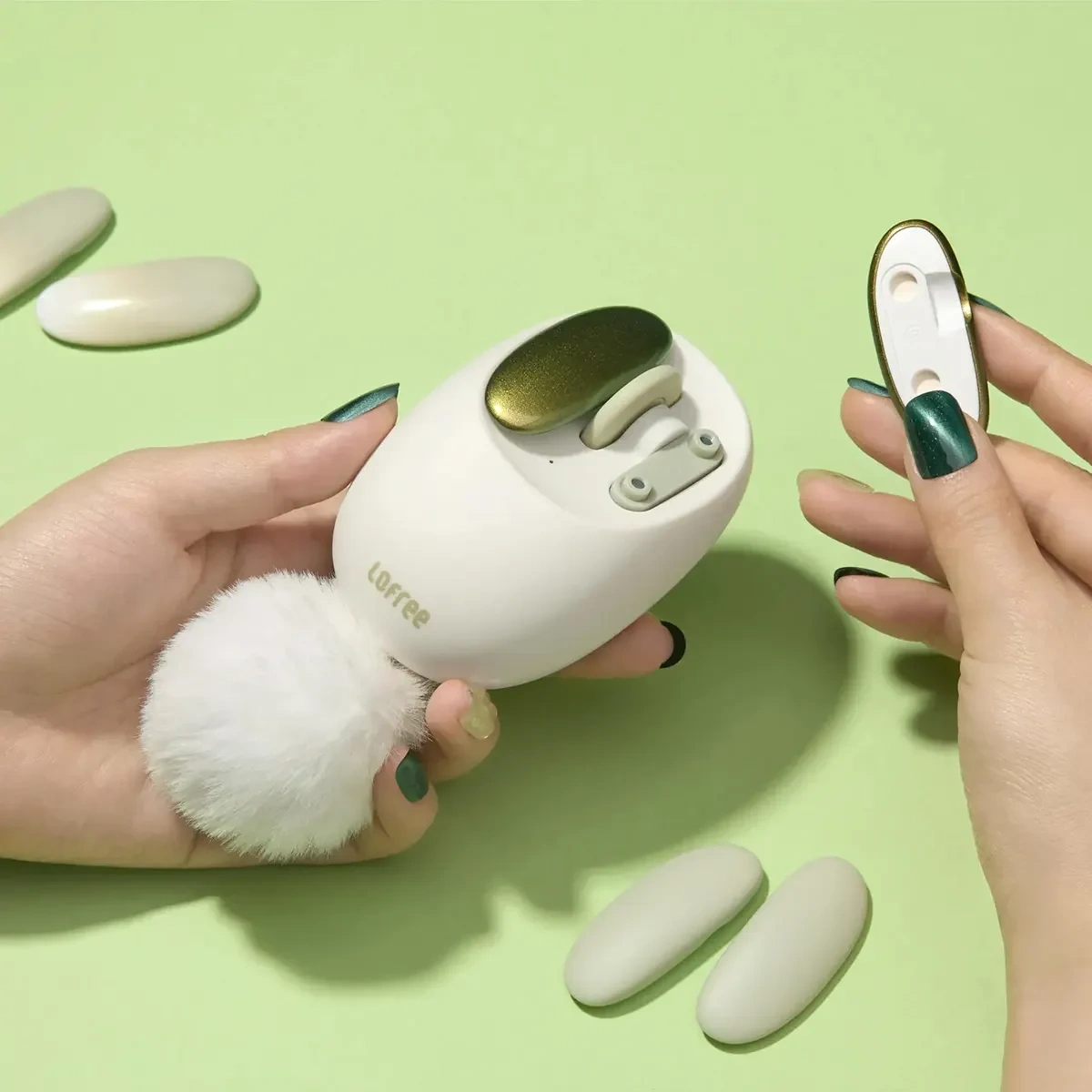
The LOFREE Petal mouse stands out for its decorative styling. The manufacturer describes interchangeable decorative patches and a small furry detail on the wireless receiver. These elements add a playful dimension to what would otherwise be a standard computer accessory.
For users who enjoy personalising their desks, small design details can make everyday tools feel more individual. The Petal can work as part of a coordinated colour scheme or as a contrasting accent among more conventional technology accessories. If you plan to change or handle any decorative components, follow the manufacturer's instructions and confirm which accessories are included with the version you choose.
Explore the Four LOFREE Petal Mouse Variants
The LOFREE Petal Bluetooth Mouse is available in four variants: Blush, Emerald, Peacock, and Silver. Each colour offers a different styling direction, allowing you to select an option that complements your workspace.
LOFREE Petal Mouse in Blush
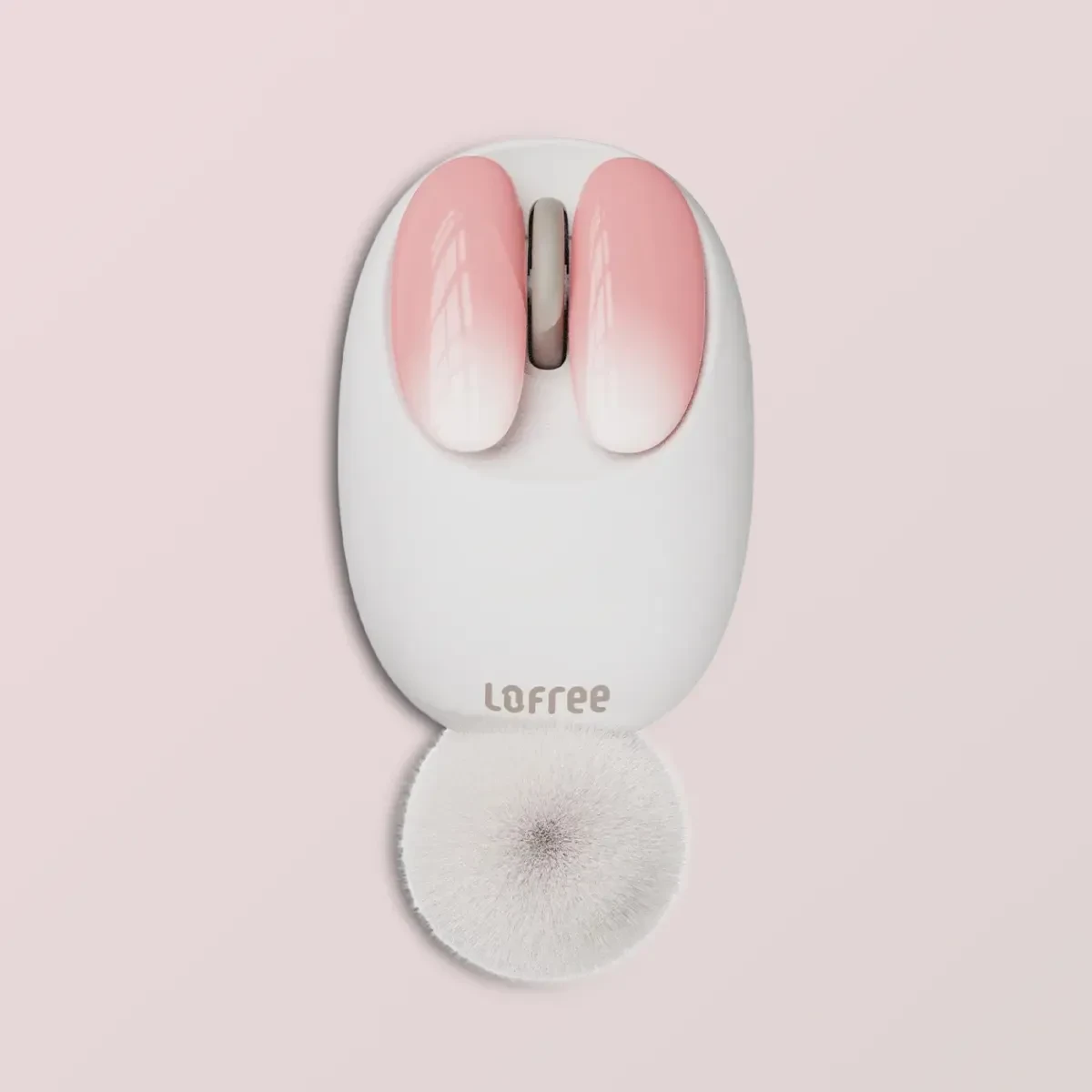
Blush is a suitable choice for users who prefer softer colours and a gentle visual palette. It complements pastel accessories, light-colored desk surfaces, and coordinated setups in subtle shades. For a home office or study desk, the Blush variant can introduce colour without overwhelming the rest of the arrangement.
It may appeal to users who enjoy creating a cohesive workspace with matching stationery, desk accessories, and computer peripherals. Blush is worth considering if you want your everyday technology accessories to feel expressive while retaining a soft appearance. The LOFREE Petal Mouse in Blush is a suitable option for users who prefer a soft and coordinated workspace aesthetic.
LOFREE Petal Mouse in Emerald
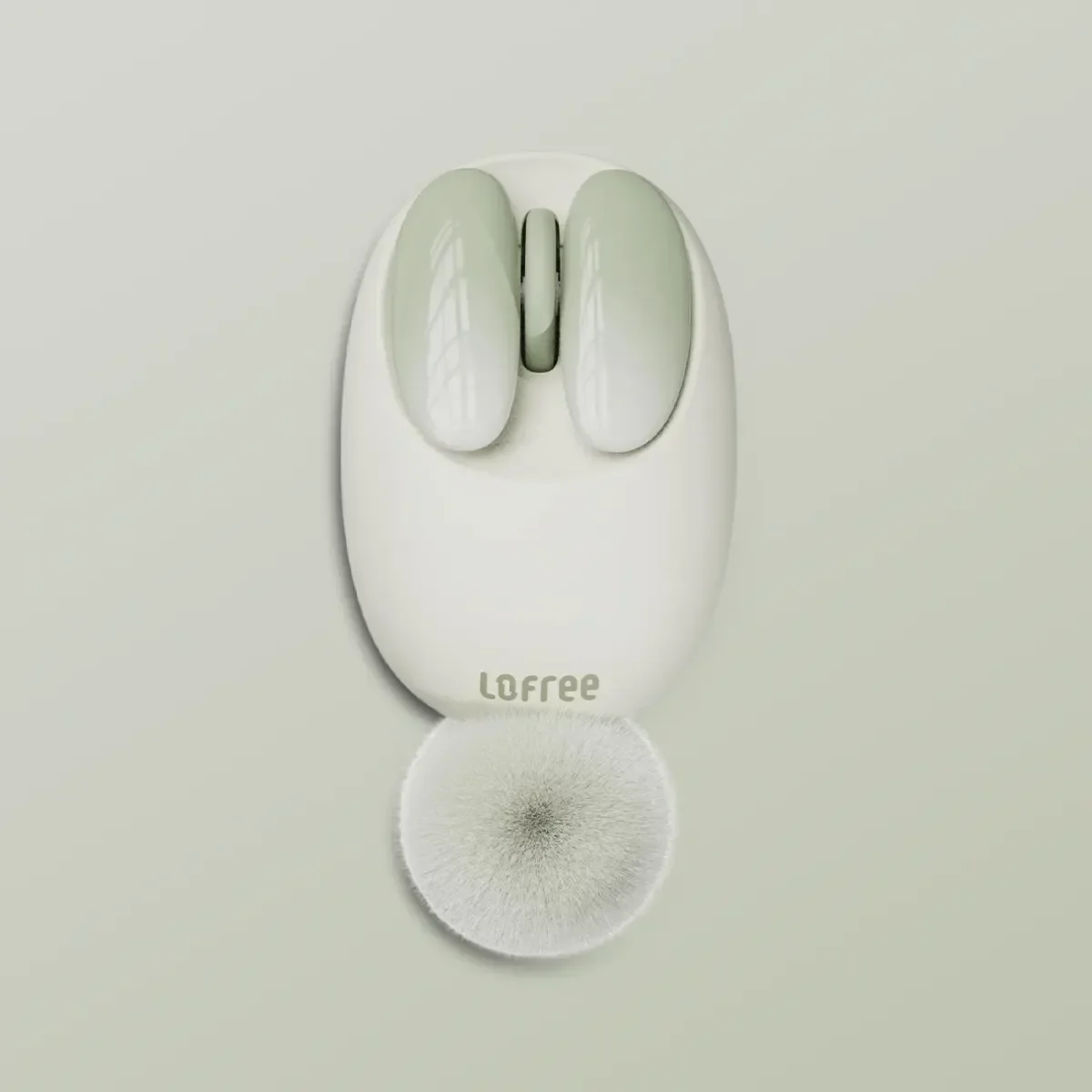
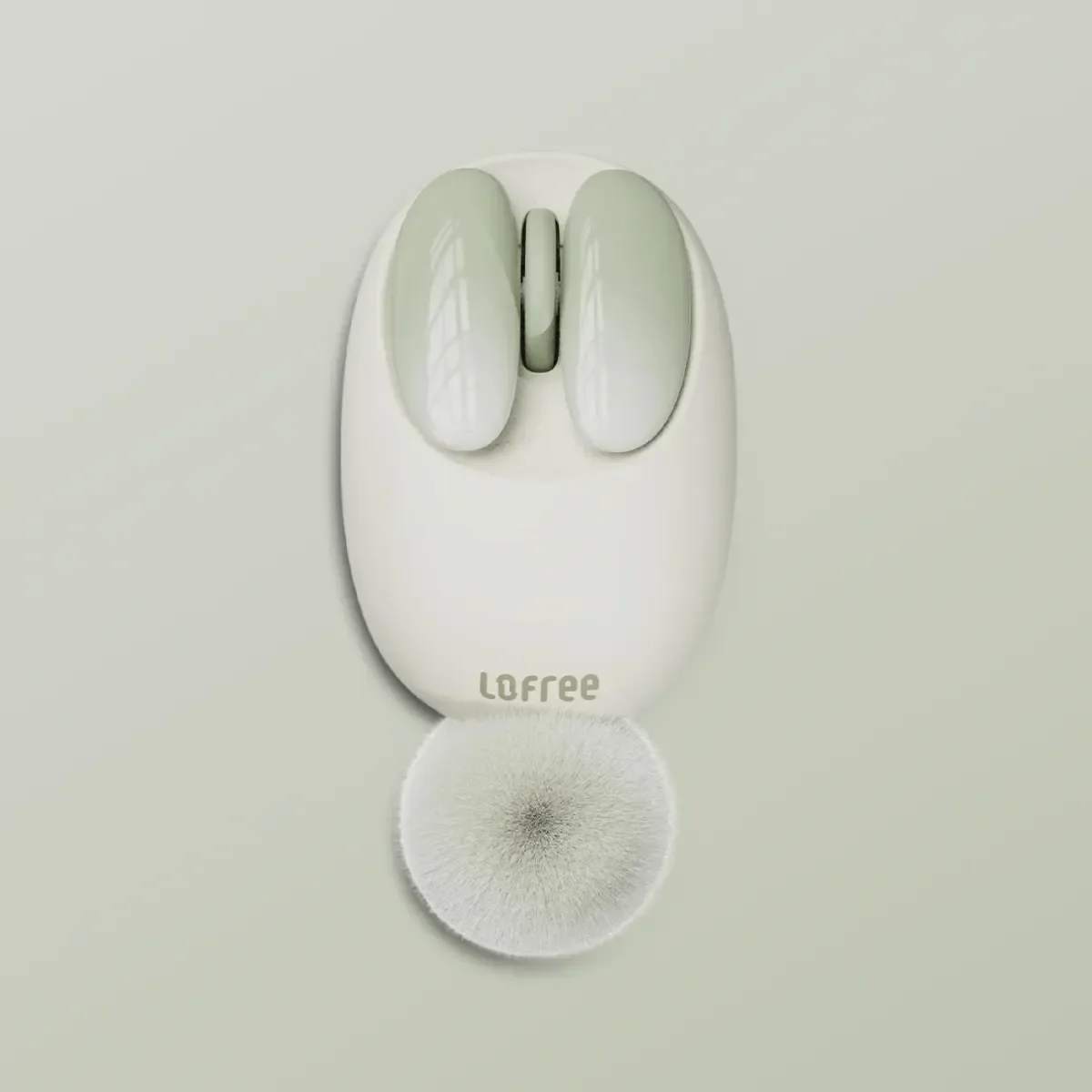
Emerald offers a richer colour direction for users who want their accessories to stand out. It can complement neutral surroundings, darker desk surfaces, and workspaces that use green as an accent. This variant may suit people who prefer a more noticeable colour without choosing a particularly light or understated finish.
If your desk includes wooden textures, neutral accessories, or complementary green accents, Emerald can be an interesting addition to the overall arrangement. The LOFREE Petal Mouse in Emerald is worth considering if you want a distinctive colour that complements your desk setup.
LOFREE Petal Mouse in Peacock
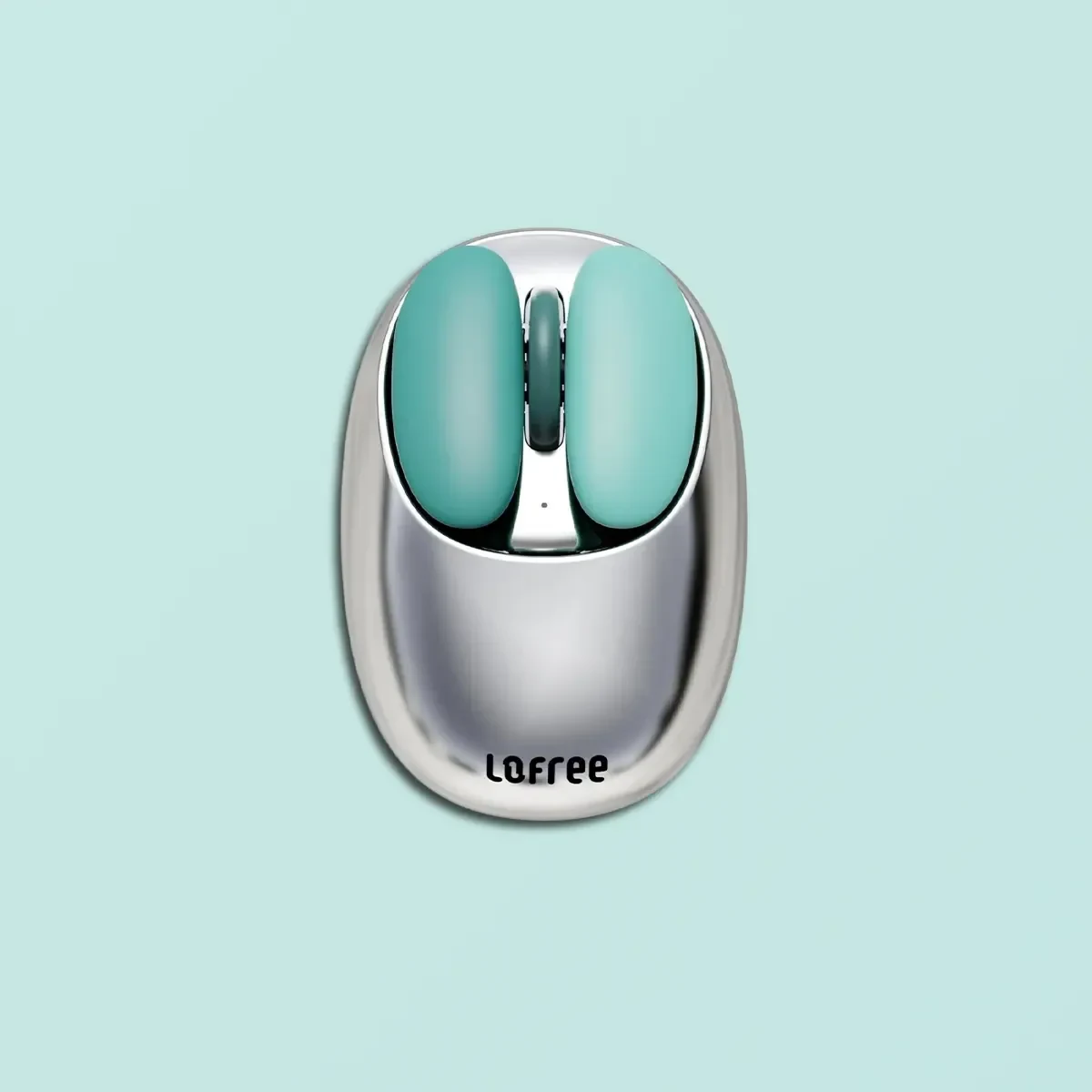
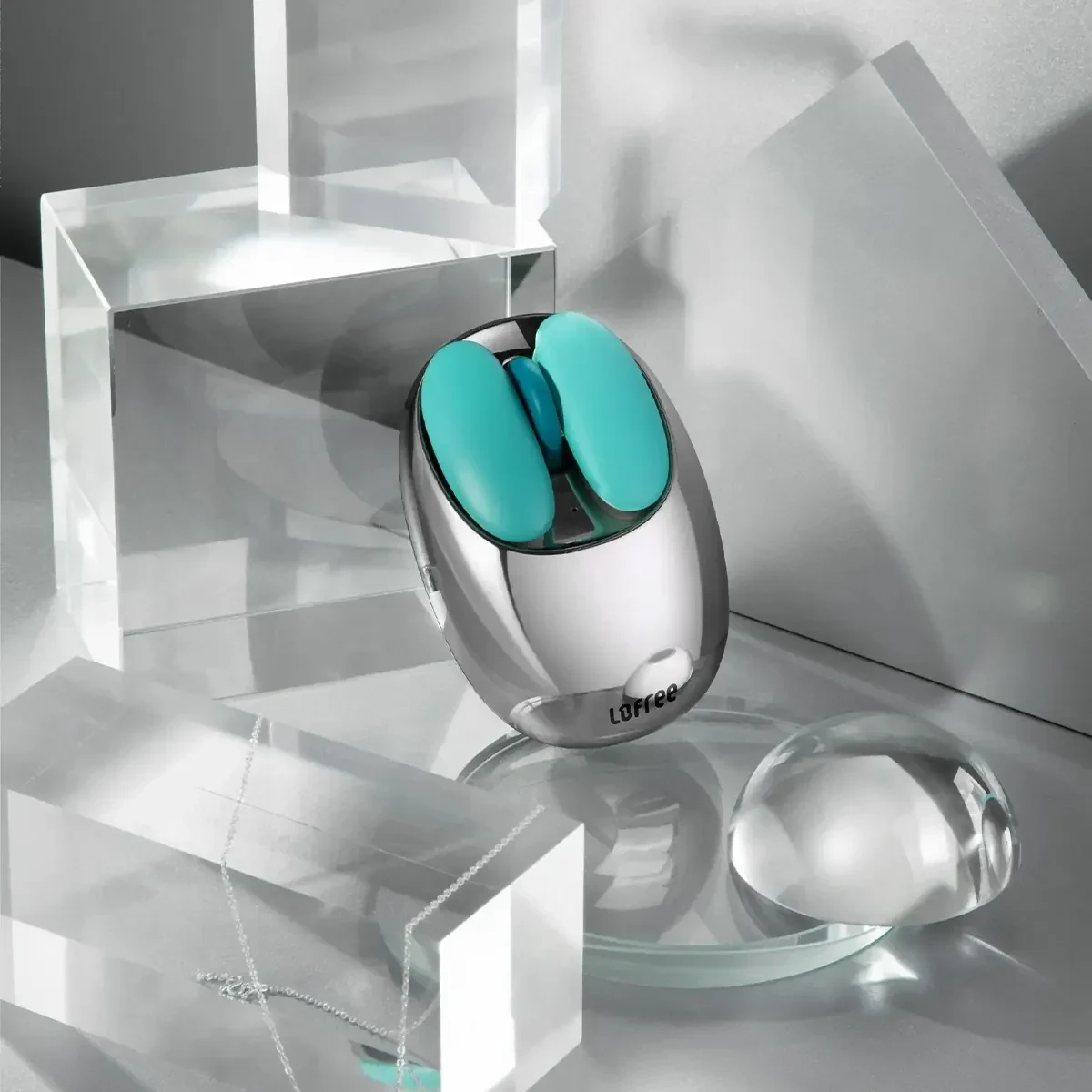
Peacock is an option for users who enjoy expressive colours and distinctive desk accessories. It can complement creative workspaces, colourful keyboards, and setups where individual accessories contribute to the overall visual theme. Rather than blending into the background, this colour choice can make the mouse a more prominent part of the desk.
Peacock is worth exploring if you want an accessory that reflects a playful, creative, or more individual sense of style. The LOFREE Petal Mouse in Peacock can complement a colourful workspace with its expressive appearance.
LOFREE Petal Mouse in Silver
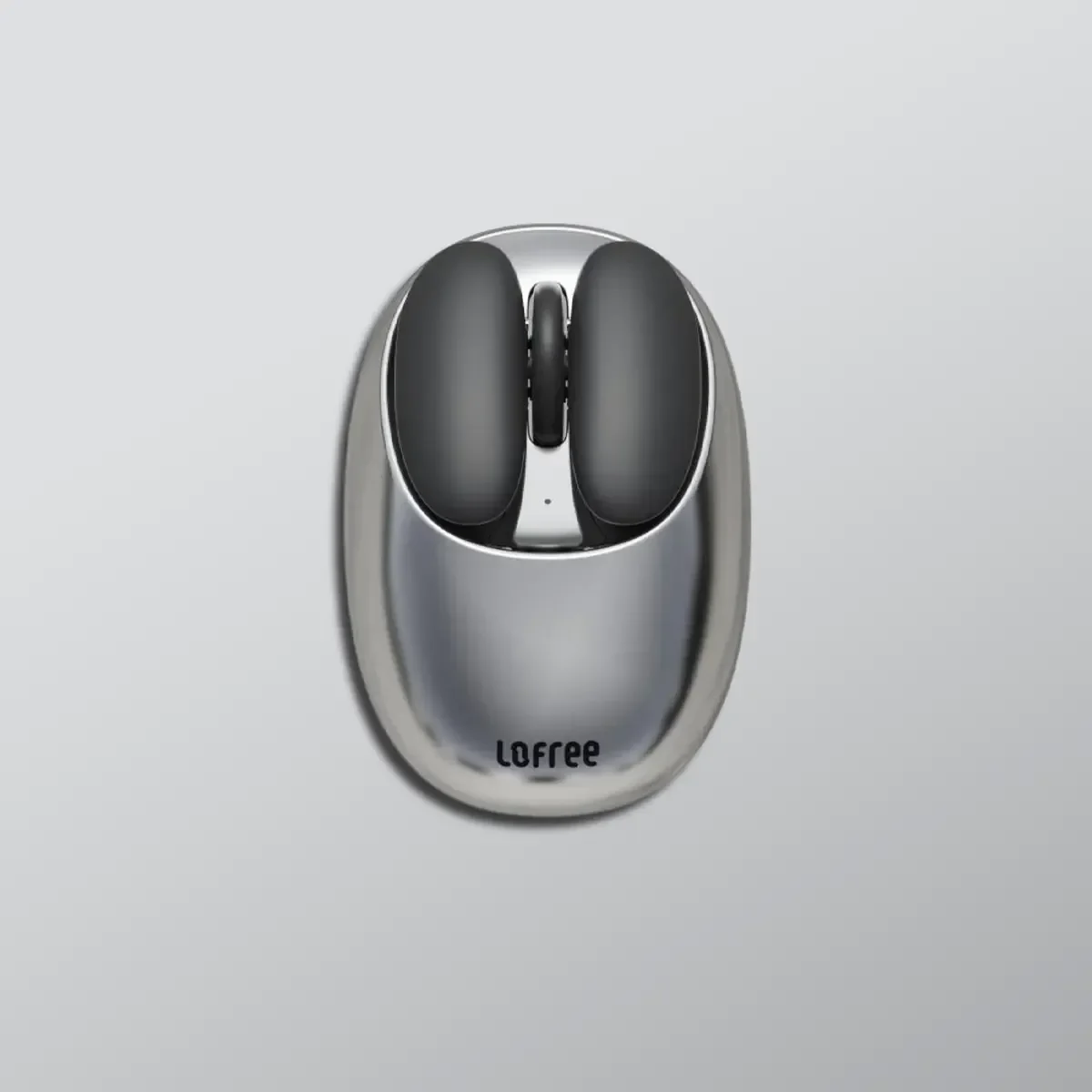
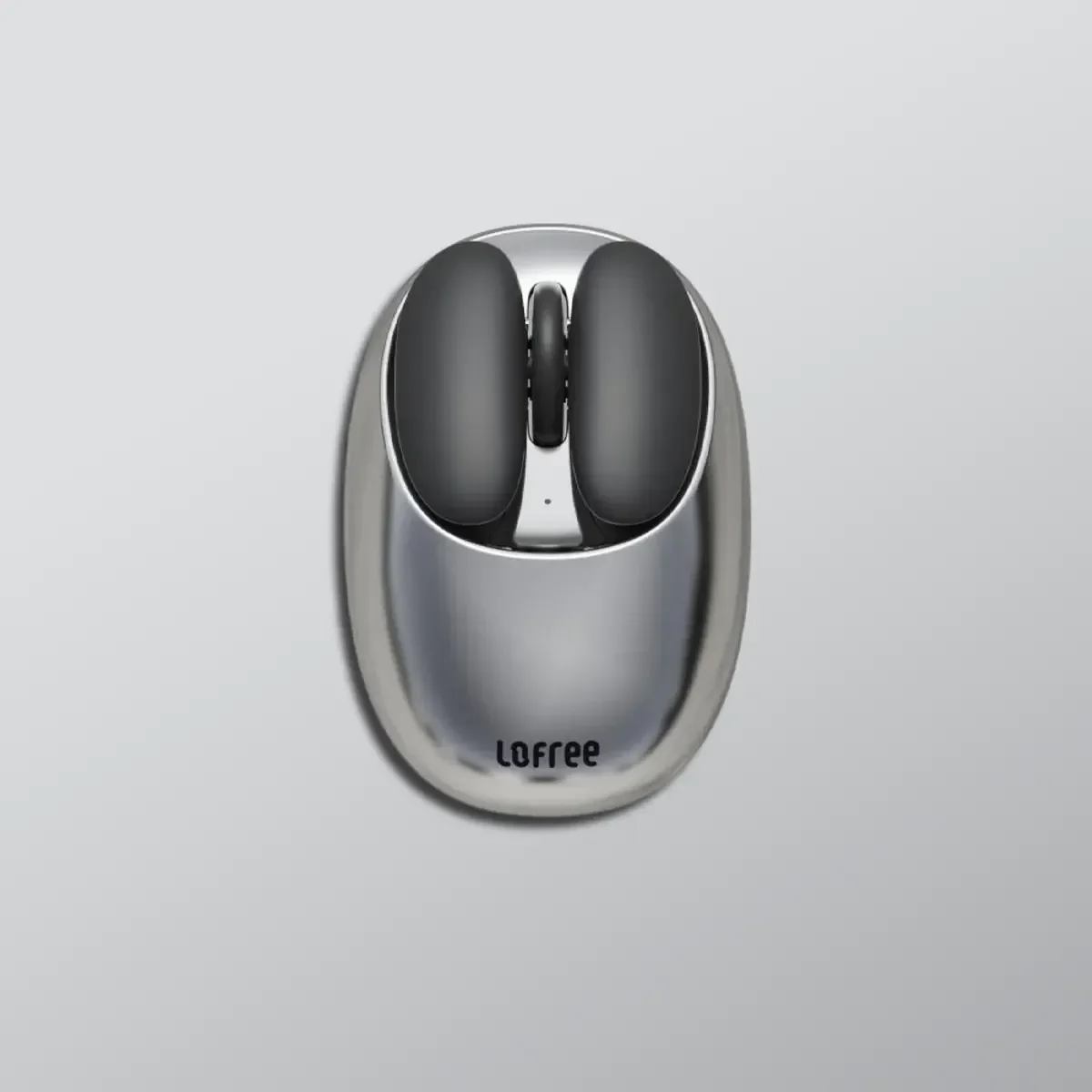
Silver offers a more understated and contemporary appearance. It can work well with laptops, metallic finishes, neutral desk accessories, and technology-focused workspaces. For users who prefer a restrained colour palette, Silver can provide a versatile styling option while retaining the Petal's distinctive design.
It may also suit professional environments where you want an accessory that looks coordinated without introducing a strong colour accent. The LOFREE Petal Mouse in Silver is a suitable choice for users who prefer a clean, contemporary, and understated desk setup.
Which LOFREE Petal Colour Should You Choose?
Variant ----------------- Style --------------- Suitable Workspace
Blush ----------------- Soft and expressive ------------------ Pastel or light-coloured desks
Emerald ----------------- Rich and distinctive ----------------------- Neutral setups with colour accents
Peacock ------------------- Bold and creative -------------------- Expressive or colourful workspaces
Silver ------------------ Clean and contemporary -------------------- Minimalist and technology-focused desks
Your ideal variant depends on your personal taste and the colours already present in your workspace. Check the current 21GenX product page to confirm which options are available.
Who Should Consider the LOFREE Petal Bluetooth Mouse?
For Professionals and Office Users
Professionals use their mouse for a wide range of everyday tasks, including preparing documents, managing emails, browsing websites, and using productivity applications. The LOFREE Petal wireless mouse is worth exploring for office users who want a distinctive-style accessory. Its wireless positioning may also suit those who prefer a cleaner desk arrangement. When considering it for daily work, focus on compatibility, connection requirements, pointer sensitivity, and comfort. These factors can matter as much as the mouse's appearance.
For Students
Students frequently switch between assignments, research, online classes, presentations, and entertainment. A wireless mouse can be a useful addition to a compatible laptop or desktop setup. The Petal's four colour options offer an opportunity to personalise a study desk without changing the entire workspace. Students who enjoy coordinating their stationery, keyboard, and other accessories may appreciate this flexibility. Before choosing a variant, check that the mouse is compatible with the device used for coursework and everyday study.
For Creative Professionals
Designers, content creators, and other creative professionals often spend considerable time working at a computer. They may also value accessories that complement the visual character of their workspace.
The LOFREE Petal's decorative design can suit a creative workstation where accessories are selected for both function and appearance. If your work involves detailed image editing, illustration, or other precision-based tasks, consider whether the mouse's tracking capabilities and shape meet your specific requirements.
For Home Office Enthusiasts
A home office needs to balance everyday functionality with personal comfort. Choosing accessories that work well together can help create a more organised and inviting environment. The LOFREE Petal mouse offers four colour options, making it easier to coordinate with a keyboard, laptop stand, desk mat, or other accessories. Whether your workspace is minimalist or colourful, selecting a mouse that complements its overall design can help make the desk feel more personal.
For People Looking for Distinctive Gifts
Computer accessories can be practical gifts for people who work, study, or create digitally. A distinctive mouse can be a thoughtful alternative to a conventional computer peripheral. The Blush, Emerald, Peacock, and Silver variants offer different style options for friends, colleagues, students, and tech enthusiasts. Before purchasing it as a gift, consider the recipient's computer compatibility, preferred colour palette, and everyday working habits.
LOFREE Petal Wireless Mouse Compared with Conventional Mice
When choosing a mouse, compare the features that matter most for daily use.
Comparison Point -------------- LOFREE Petal Bluetooth Mouse --------------------- Conventional Mouse
Design ---------------- Decorative, nail art-inspired styling ----------------- Often uses a more conventional appearance
Colour options ------------- Blush, Emerald, Peacock, Silver in this selection ---------------- Depends on the model
Connectivity ----------------- Bluetooth and 2.4GHz options listed in manufacturer information ---------------- May be wired or wireless
Sensitivity -------------- Manufacturer specifications list multiple DPI settings --------------- Varies by model
Personalisation ------------------ Decorative design elements described by the manufacturer -------------------- Depends on the product
Buying considerations -------------- Check comfort, compatibility, and included accessories ---------------- Check the same factors for the chosen model
This comparison highlights general design and feature differences rather than suggesting that one mouse is better for everyone. A conventional mouse may suit specific ergonomic or professional requirements, while the Petal may appeal to users who value expressive styling alongside everyday functionality.
How to Choose the Right Wireless Mouse for Your Setup
1. Check Device Compatibility
Before purchasing, confirm that the mouse supports your intended computer, laptop, or other device. Check the operating system requirements and supported connection methods. Manufacturer information describes compatibility with Windows, Apple devices, and Android. Actual compatibility may depend on the device, operating system version, and connection method, so verify the details for the current product listing.
2. Choose the Appropriate Connection Method
Think about how you prefer to connect your peripherals. Bluetooth may be convenient for compatible devices that support wireless accessories without a separate receiver. A 2.4GHz connection may suit setups that support the required receiver. Check which connection options are available and whether any receiver is included before ordering.
3. Consider Hand Comfort and Grip
A mouse should feel comfortable during regular use. Hand size, grip style, and movement patterns can all influence how well a particular shape suits you. The LOFREE Petal has a distinctive rounded look, but comfort depends on your preferences. If you work for long periods, consider comfort and control alongside appearance.
4. Review Sensitivity Settings
DPI settings influence pointer sensitivity. Consider whether you prefer controlled movement or faster pointer travel and whether the mouse's available settings suit your screen and workflow. If you have specialist requirements, compare the published sensitivity range with the needs of your applications.
5. Select a Colour That Matches Your Workspace
Your mouse can complement your keyboard, laptop, desk surface, and other accessories. Blush, Emerald, Peacock, and Silver offer different styling directions. You can choose a colour that blends with the rest of your setup or select a contrasting shade to make the mouse stand out.
Tips for Maintaining Your LOFREE Petal Wireless Mouse
Regular care helps maintain your mouse's appearance and usability. Clean the exterior regularly: Use a soft, dry cloth to remove dust and everyday marks.
Keep the sensor area clean:
Dust around the tracking sensor can affect performance.
Handle decorative components carefully:
Follow the manufacturer's instructions when handling interchangeable patches or other decorative details.
Avoid excess moisture:
Do not spray cleaning products directly onto the mouse or allow liquid to enter its openings.
Store the receiver safely:
If your version includes a wireless receiver, keep it secure when not in use.
Follow power instructions:
Use the recommended power or charging procedure for the specific model.
Protect it from damage:
Avoid accidental drops, heavy pressure, and environments with excessive moisture.
These simple habits can help keep your mouse clean and ready for everyday computing.
FAQ
Q. What is the LOFREE Petal Bluetooth Mouse?
A. The LOFREE Petal Bluetooth Mouse is a wireless computer mouse with a distinctive design inspired by nail art. Manufacturer information describes Bluetooth and 2.4GHz connectivity options, multiple DPI settings, and decorative personalisation features.
Q. Is the LOFREE Petal mouse available in India?
A. You can explore the LOFREE Petal mouse through its product listing on 21GenX. Check the page for current availability and the variants offered.
Q. What colours are available for the LOFREE Petal mouse?
A. The four variants specified for this product selection are Blush, Emerald, Peacock, and Silver. Check the product page to confirm current availability.
Q. Does the LOFREE Petal mouse support wireless connectivity?
A. Yes. Manufacturer information describes Bluetooth and 2.4GHz wireless connection options. Confirm the connection details and include accessories for the version available on 21GenX.
Q. What is DPI, and why does it matter?
A. DPI refers to mouse sensitivity and affects how far the pointer moves on the screen relative to physical mouse movement. Manufacturer specifications for the Petal list 800, 1200, 1600, 2400, and 3200 DPI settings.
Q. Is the LOFREE Petal wireless mouse suitable for office work?
A. It may suit everyday office tasks such as browsing, document editing, and email management, provided it is compatible with your device and comfortable for your grip. Users with specific needs should evaluate its precision and ergonomics before buying.
Q. What makes the LOFREE Petal mouse different from a standard mouse?
A. Its nail art-inspired design, decorative details, and four colour options give it a distinctive appearance. Its published specifications also describe wireless connection options and adjustable DPI settings.
Q. How do I choose the best LOFREE Petal colour?
A. Blush suits softer colour palettes, Emerald offers a richer accent, Peacock provides a more expressive look, and Silver complements understated, contemporary setups. Consider your existing desk accessories and personal preferences.
Q. What should I check before buying the LOFREE Petal mouse online in India?
A. Review the selected colour, device compatibility, connection methods, included accessories, power requirements, and technical specifications. These details can help you determine whether the mouse suits your computer and daily routine.
Q. Where can I explore the LOFREE Petal mouse online in India?
A. Visit the LOFREE Petal Bluetooth Mouse product page on 21GenX to review the product details and available variants.
Final Thoughts
The LOFREE Petal Bluetooth Mouse brings a design-focused approach to an everyday computer accessory. Its nail art-inspired styling, distinctive decorative details, wireless connectivity options, and adjustable sensitivity make it worth exploring for users who want their computer peripherals to reflect their personal style. With Blush, Emerald, Peacock, and Silver variants, users can choose a colour that complements their existing desk setup or introduces a contrasting accent. At the same time, practical considerations such as comfort, device compatibility, and connectivity should guide the final decision.
If you are searching for the LOFREE Petal Bluetooth Mouse, the LOFREE Petal mouse in India, or a LOFREE Petal wireless mouse online in India, explore the product listing on 21GenX to review the available options and find a variant that suits your workspace.