21genX: Curated Chronicles
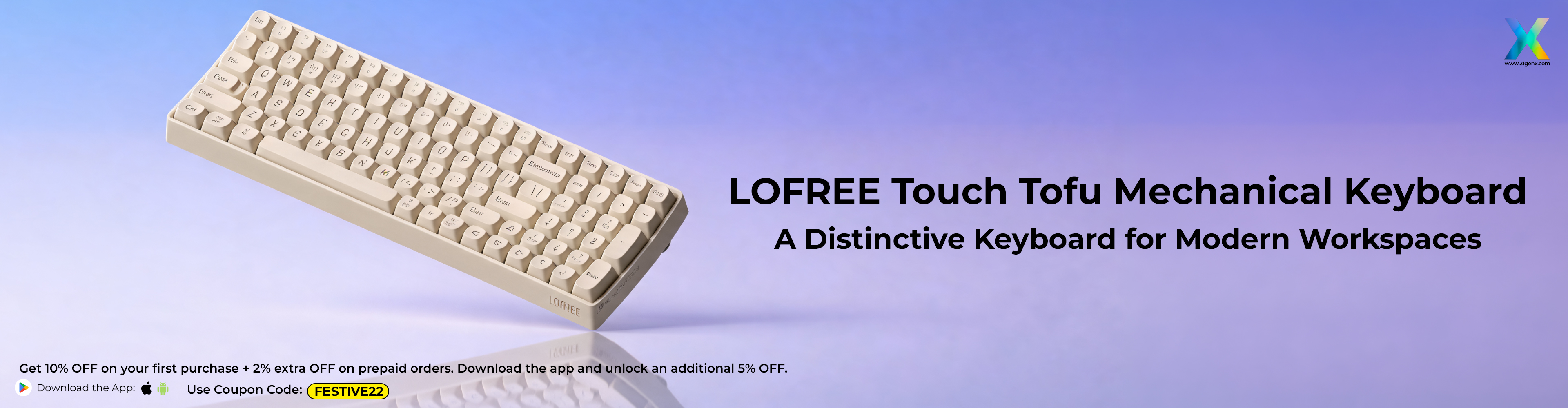
LOFREE Touch Tofu Mechanical Keyboard A Distinctive Keyboard for Modern Workspaces
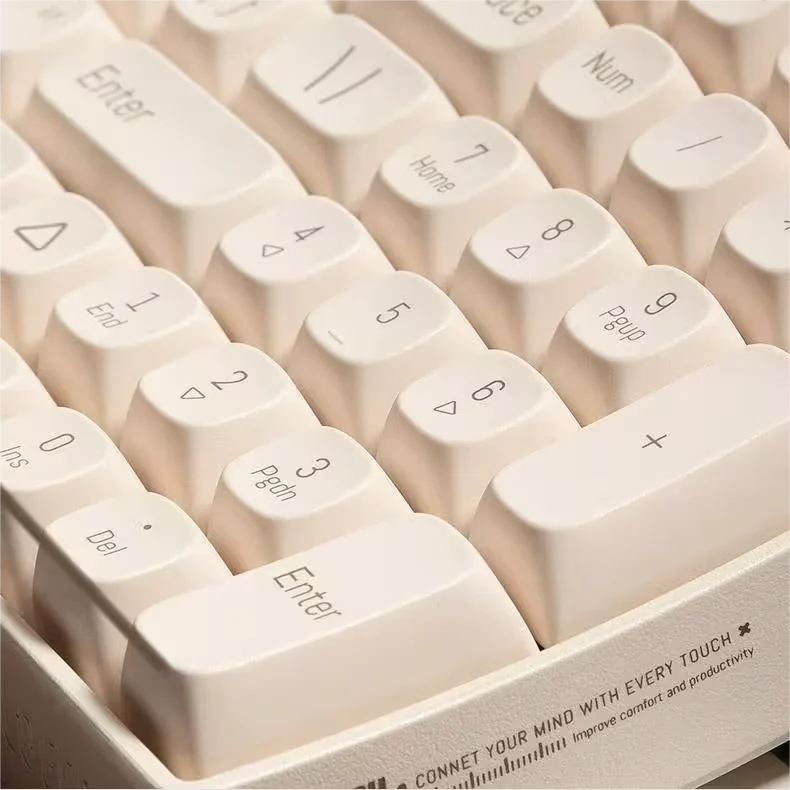
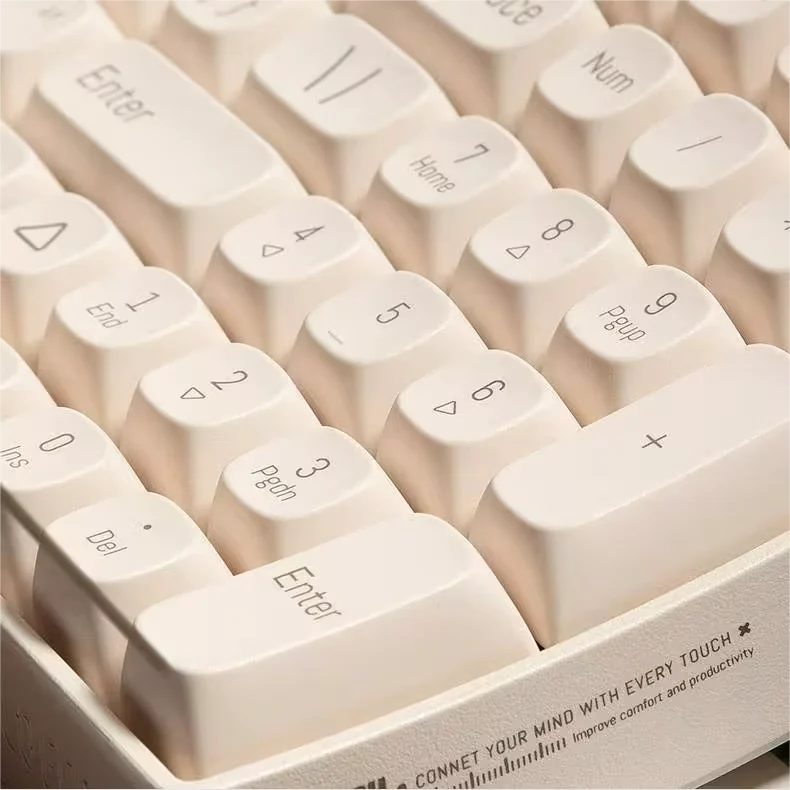
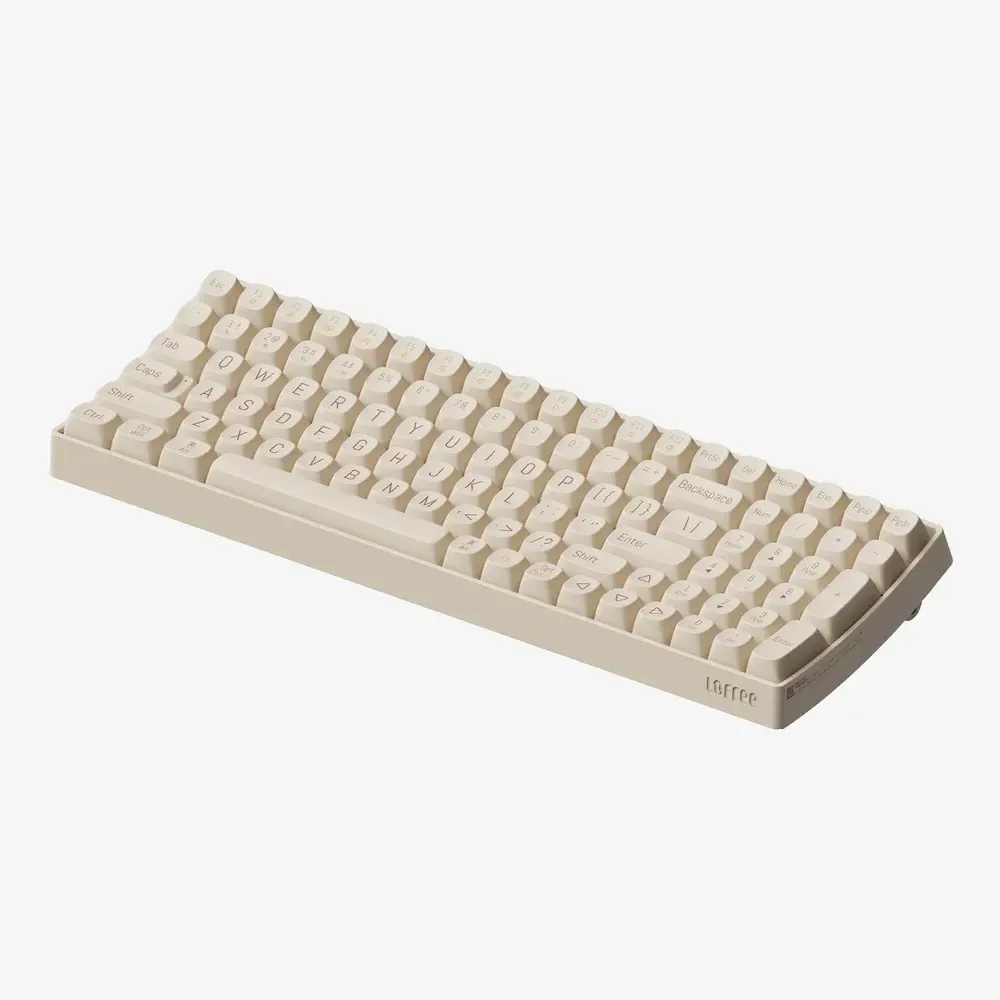
A keyboard is more than a typing tool. For people who spend hours working, studying, writing, or creating digital content, its design and keycap shape can shape the workspace and the typing experience. The right keyboard can make everyday tasks more enjoyable while adding character to a desk setup. The LOFREE Touch Tofu Mechanical Keyboard brings a distinctive design approach to everyday typing. Its keycap profile features a 0.65 mm spherical angle on an SA-like shape, designed to reduce finger fatigue. This detail makes it an interesting option for users who pay attention to keycap shape and feel.
Available in different layouts and configurations on the 21GenX product page, the LOFREE Tofu mechanical keyboard caters to users who want to explore different keyboard sizes and keycap preferences. Whether you are upgrading your home office, refreshing your workstation, or looking for a distinctive mechanical keyboard, the Touch Tofu deserves a closer look.
For anyone searching for the LOFREE Touch Tofu keyboard in India, understanding its design, layout choices, and configuration options can help you decide whether it suits your typing habits and workspace needs.
LOFREE Touch Tofu Mechanical Keyboard Overview
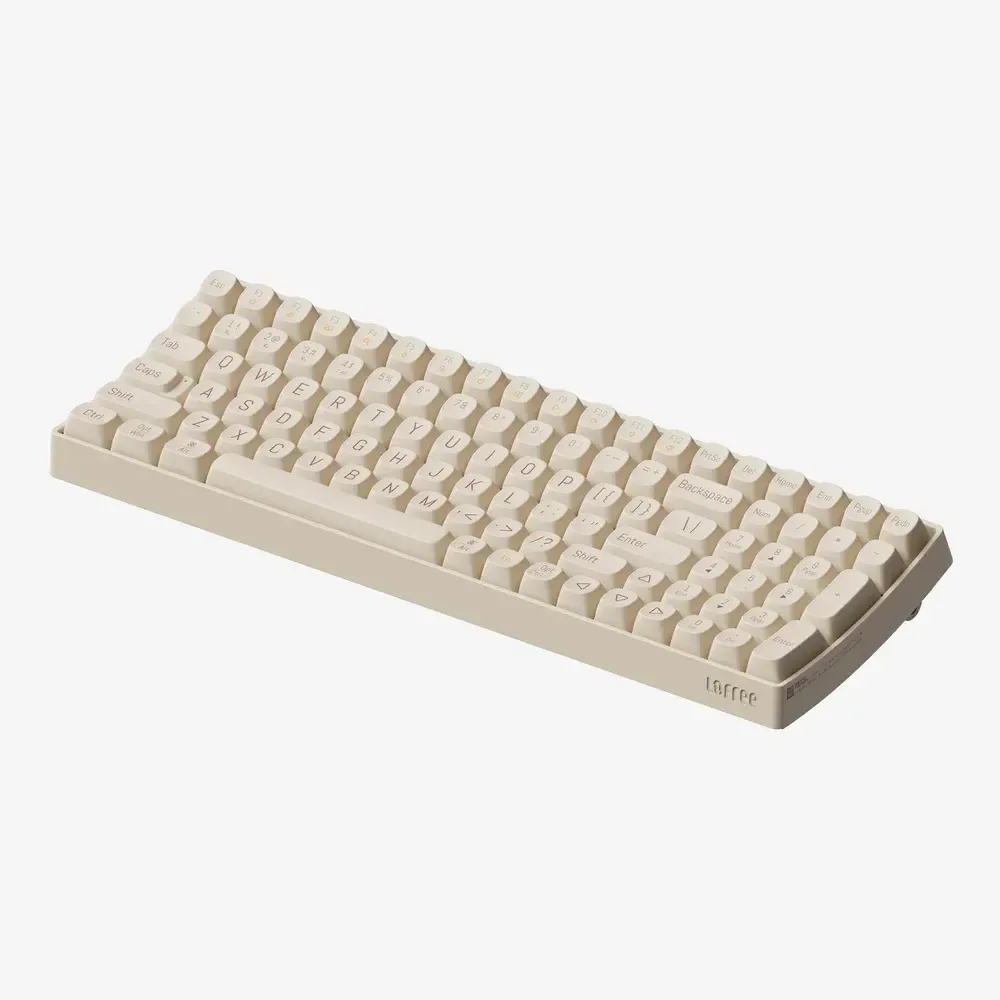
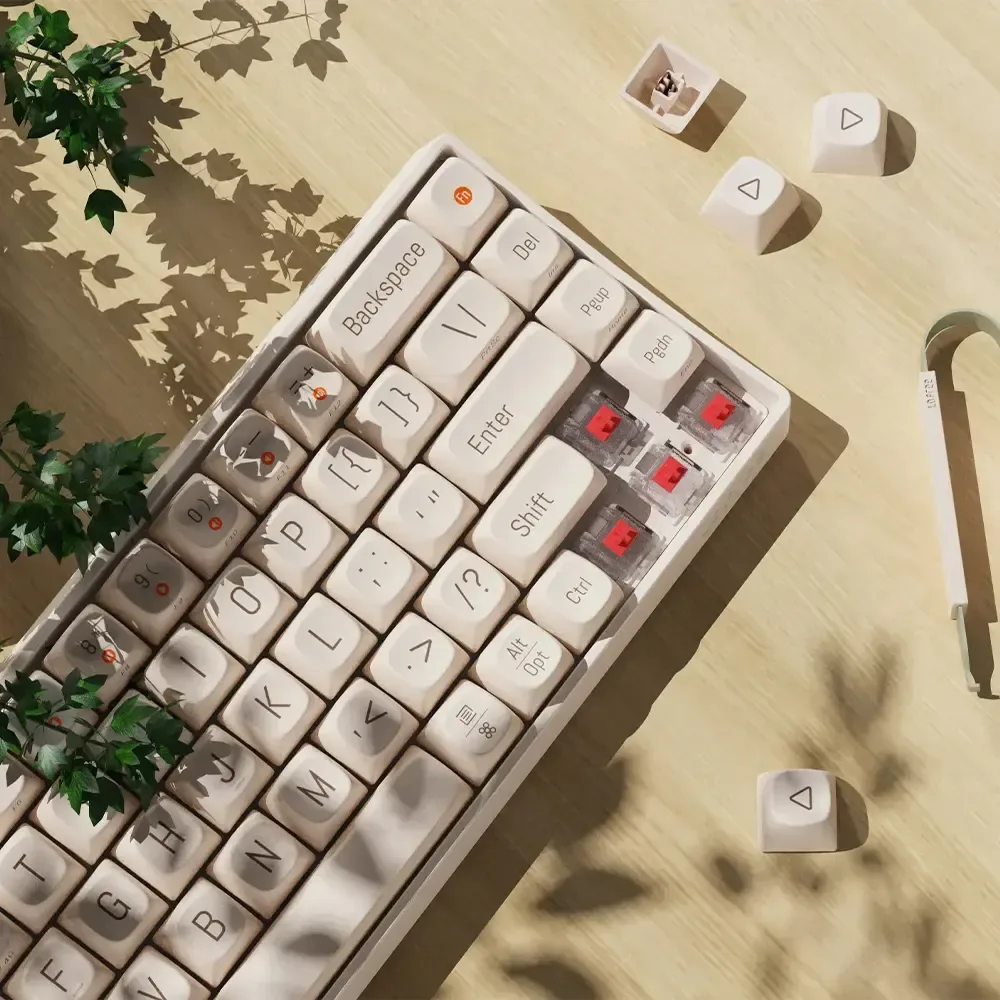
The LOFREE Touch Tofu Mechanical Keyboard focuses on the relationship between keycap shape, typing comfort, and workspace aesthetics. Its spherical-angle keycap design is a key detail highlighted in the product description.
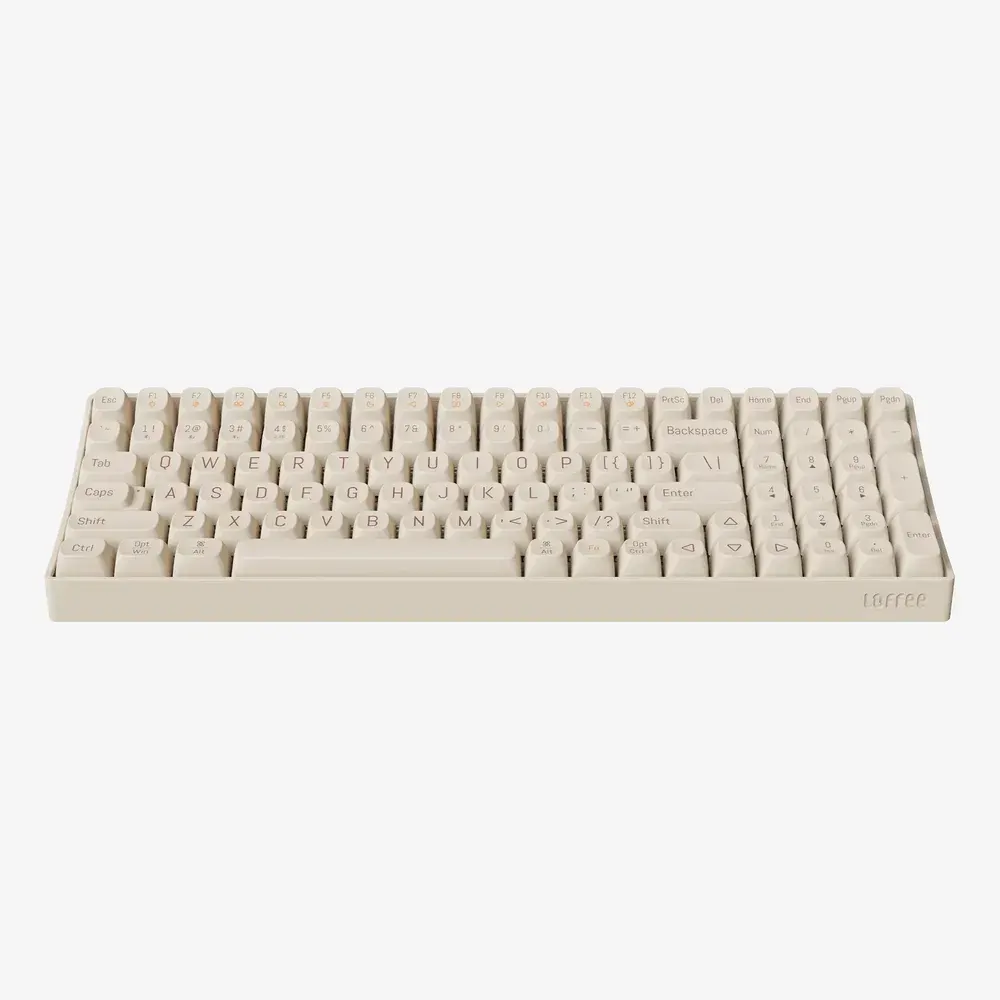
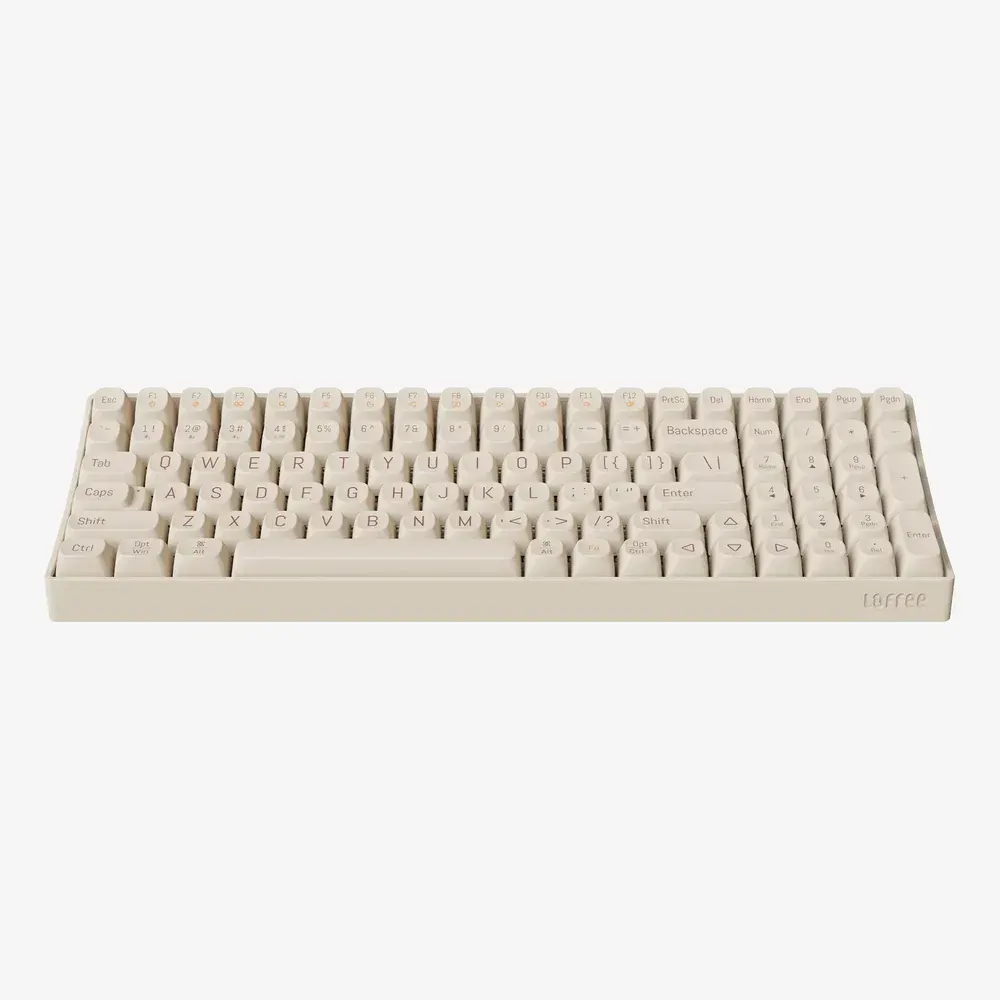
The product page also lists choices for the Tofu model, a no-keycaps configuration, and 68-key or 100-key layouts. These options are relevant because keyboard size and configuration affect how much desk space a keyboard occupies and how users organise their typing setup.
Feature ---------------------- Details
Brand ------------------ LOFREE
Product Name ------------ Touch Tofu Mechanical Keyboard
Product Type -------------- Mechanical keyboard
Keycap Design --------------------- SA-like shape with a 0.65 mm spherical angle, as described on the product page
Model Options ---------------------- Tofu and No Keycaps
Layout Options ------------------- 68 keys and 100 keys
Design Focus ------------------- Keycap shape and typing comfort
Available Through -------------------- 21GenX
Configuration note: Check the selected option on the product page before purchasing, particularly if you need a complete keyboard rather than a no-keycaps configuration.
What Makes the LOFREE Tofu Mechanical Keyboard Stand Out?
1. A Distinctive Spherical-Angle Keycap Design
Keycaps influence how a keyboard looks and how your fingers interact with its keys. Their shape, height, and surface profile can affect the overall typing experience, making them an important consideration when choosing a mechanical keyboard. The LOFREE Touch Tofu keyboard features a 0.65 mm spherical keycap profile with an SA-like shape. The design aims to reduce finger fatigue, offering an alternative to the flat, uniform look of some conventional keyboards.
The curved profile stands out for users who pay close attention to individual key shapes. It also gives the keyboard a distinctive visual identity, making it a good fit for people who want their desk accessories to look as carefully selected as the rest of their setup. For writers, professionals, and students who type regularly, consider the keycap profile alongside other factors such as keyboard height, desk position, and typing posture. Comfort varies from person to person, so evaluate the design based on your preferences.
2. Designed with Typing Comfort in Mind
Comfort matters when you use a keyboard for long periods. Daily activities such as writing reports, responding to emails, preparing assignments, coding, and editing documents can involve thousands of keystrokes. The LOFREE Tofu mechanical keyboard's spherical-angle keycap design aims to reduce finger fatigue. Its SA-like profile offers a different key shape for users who prefer a more sculpted typing surface.
However, keycap shape is only one part of an ergonomic setup. Keyboard placement, chair height, wrist position, and regular breaks also contribute to comfortable computer use. Users should view the keyboard as part of their overall workstation rather than relying on a single design feature. For people looking for alternatives to conventional keycap profiles, the Touch Tofu offers a design worth considering.
3. Mechanical Keyboard Design for Everyday Tasks
Mechanical keyboards appeal to users who want a keyboard built around individual mechanical key switches rather than a conventional membrane-based typing structure. The LOFREE Touch Tofu falls into this category, making it relevant for users looking for a dedicated keyboard for everyday computer work. It suits common tasks such as writing, browsing, document editing, and other keyboard-intensive activities, depending on the selected configuration and its compatibility with your device.
When choosing a mechanical keyboard, review the switch type, actuation feel, noise level, connectivity, and compatibility details listed for the exact model. These specifications can significantly affect how a keyboard performs in your environment. The Touch Tofu's keycap design clearly distinguishes it for shoppers interested in both the physical typing experience and the keyboard's appearance.
4. Choose Between 68-Key and 100-Key Layouts
Keyboard layout is an important consideration when setting up a workspace. The number of keys affects the keyboard's footprint and how users access frequently used functions. The 21GenX product listing provides 68-key and 100-key options. Each layout can suit different working habits.
68-key layout
A 68-key keyboard suits users who prefer a more compact layout. The smaller layout leaves more room for a mouse, notebook, desk mat, or other accessories. It may appeal to people who want to keep their workspace relatively uncluttered. Before selecting a compact layout, consider whether you regularly use dedicated navigation keys, function keys, or a numeric keypad. The availability and arrangement of these functions depend on the keyboard's specific layout.
100-key layout
A 100-key option may be more suitable for users who prefer a larger selection of dedicated keys. People who work with numerical data, spreadsheets, or applications that rely on frequent keyboard shortcuts may find a fuller layout more convenient, depending on the exact key arrangement. The best choice depends on your workflow, desk space, and typing preferences, not just the number of keys.
5. Configuration Choices for Different Preferences
The LOFREE Touch Tofu product page lists Tofu and No Keycaps options. This is an important distinction to check before placing an order. A keyboard configuration supplied with keycaps is generally the more straightforward option for users who want a ready-to-use typing setup. A no-keycaps configuration suits shoppers who want to select or supply their own compatible keycaps, subject to the product's compatibility requirements.
If you are buying your first mechanical keyboard, carefully confirm which configuration is selected and what is included. If you already own compatible keycaps or are planning a custom setup, review the listing details to ensure the selected configuration meets your requirements. Taking a moment to check these options can help you choose the right version for your needs.
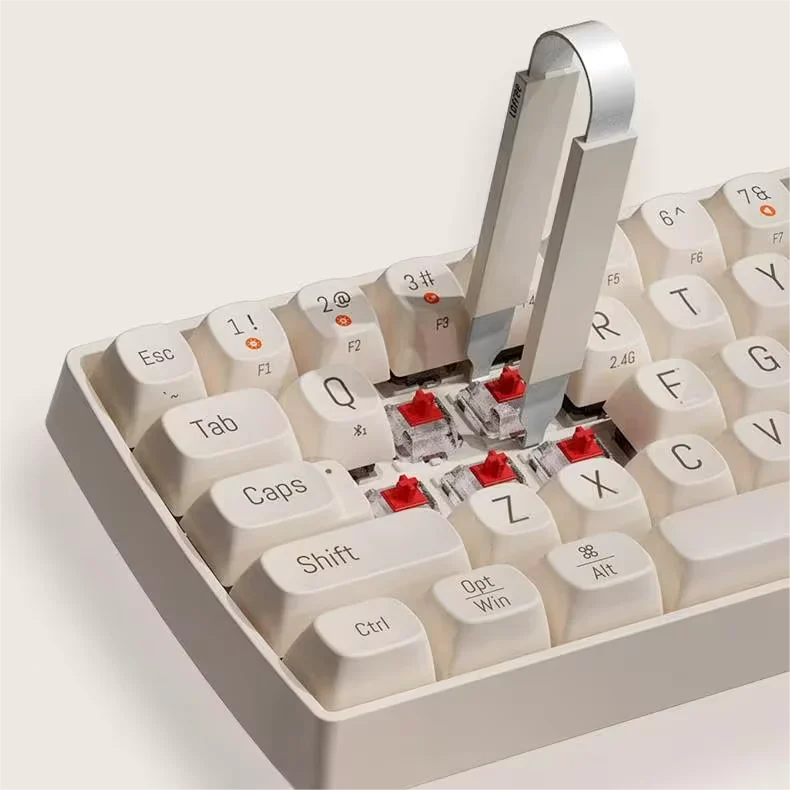
Choosing the Right LOFREE Touch Tofu Keyboard Configuration
Before choosing a configuration, consider how you work and what you expect from your keyboard.
Your Preference ---------------- Option to Consider --------------------- Why It May Suit You
A more compact workspace ------------ 68-key layout ----------- Leaves more room for other desk essentials
Frequent numerical entry ------------------- 100-key layout ------------ May provide a more convenient arrangement for number-heavy tasks
A complete typing setup ---------------- Tofu option, after checking inclusions
Helps you confirm whether the selected version includes keycaps ------------------ A customised keyboard project
No Keycaps option, after checking compatibilit ------------ May suit users who want to select their own keycaps
These are general selection guidelines. Review the exact configuration and layout details on the product page before making your decision.
Who Should Consider the LOFREE Touch Tofu Mechanical Keyboard?
For Professionals and Office Users
Professionals who spend much of their day typing may want a keyboard that complements their workflow and workspace. Whether you are preparing reports, managing emails, working with documents, or switching between applications, a dedicated mechanical keyboard can be an important part of your desk setup. The LOFREE Touch Tofu's keycap design makes it worth exploring for professionals who want a better typing feel and accessories with strong visual character. Users who regularly work with numerical data should pay particular attention to the available layouts and select the one that supports their tasks.
For Writers and Content Creators
Writers, editors, and content creators often spend extended periods typing. For this audience, keycap shape and the overall typing experience matter when choosing a keyboard. The Touch Tofu's spherical-angle keycap profile is designed to reduce finger fatigue, making it a good option for people who want to try a different keycap shape at their workspace. Comfort remains individual, so writers should also consider keyboard positioning, typing habits, and the layout that feels most natural for their work.
For Students
Students use keyboards for assignments, research, online learning, presentations, and personal projects. A dedicated keyboard can be useful for building a more comfortable and organised study station.
The LOFREE Tofu mechanical keyboard offers layout options to consider when planning a study desk. Students with limited space may prefer a compact layout, while those who frequently work with spreadsheets or numerical data may want to consider a larger option.
For Mechanical Keyboard Enthusiasts
Mechanical keyboard enthusiasts often pay close attention to keycap profiles, keyboard layouts, and customisation options. Rather than choosing a keyboard based only on its basic function, they may look for specific design characteristics that match their preferences. The Touch Tofu's SA-like keycap profile and listed configuration options make it worth exploring for users who enjoy comparing keyboard designs. Those considering the no-keycaps option should carefully check compatibility before choosing separate keycaps.
For Minimalist Workspace Enthusiasts
A keyboard occupies a prominent place on most computer desks. Its layout and physical appearance can influence how the rest of the workspace is organised.
Users who want a keyboard that balances typing comfort with a clean, minimalist look can consider the LOFREE Touch Tofu. Choosing between the 68-key and 100-key layouts can also help users balance their preference for desk space against their need for dedicated keys.
LOFREE Touch Tofu vs Conventional Keyboard Choices
When comparing the LOFREE Touch Tofu with other keyboards, focus on the features that matter most for your daily use.
Comparison Point -------------- LOFREE Touch Tofu -------------- What to Consider with Other Keyboards
Keycap profile ----------------- SA-like shape with a 0.65 mm spherical angle, as described in the listing ------------- Check keycap shape, height, and surface profile
Typing comfort -------------- Designed to help reduce finger fatigue ------------------ Evaluate overall comfort, layout, and typing posture
Layout choices ------------- 68-key and 100-key options listed ---------------- Confirm the number and arrangement of keys
Configuration ---------------- Tofu and No Keycaps options listed ------------------- Check whether keycaps are included
Workspace fit -------------- Compact and larger layout choices ----------------- Compare desk space and your need for dedicated keys
Customisation considerations ------------- No-keycaps option listed ---------------- Check keycap compatibility and other supported modifications
This comparison focuses on the product details supplied for the Touch Tofu. Other keyboards vary by model, so compare switch type, connectivity, build materials, and additional features using their respective specifications.
How to Choose a Mechanical Keyboard for Your Needs
The right keyboard depends on your workflow, available desk space, and typing preferences. Consider these factors before purchasing.
1. Decide Which Layout Suits Your Workflow
Start by identifying the keys you use most often. If you primarily write, browse, or work with documents, a compact layout may be worth considering. If you frequently enter numerical data, check whether the larger layout better supports your work.
2. Pay Attention to Keycap Shape
Keycap profiles differ in height, curvature, and surface design. These differences can affect how the keyboard feels under your fingers. The LOFREE Touch Tofu's SA-like profile is a useful detail to consider if you prefer a sculpted keycap design. Where possible, compare profiles or review reliable product demonstrations before deciding.
3. Check the Exact Configuration
Do not assume that every configuration includes the same components. The product page lists Tofu and No Keycaps options, so make sure you understand what is included with your selection. This is particularly important if you are new to mechanical keyboards and expect to receive a complete keyboard ready for use.
4. Review Compatibility and Technical Details
Before purchasing, check the keyboard's connection method, operating system compatibility, switch specifications, dimensions, and any other requirements relevant to your setup. These details should be confirmed from the current product listing or product documentation.
5. Consider Your Complete Workspace
A keyboard works alongside your desk, monitor, mouse, chair, and other accessories. Think about how the layout will fit into the space available and whether it leaves enough room for comfortable mouse movement. A considered setup can make everyday work feel more organised without requiring unnecessary accessories.
How to Maintain Your Mechanical Keyboard
Regular care can help keep your keyboard clean and in good working condition.
- Remove dust regularly: Use a soft brush or an appropriate cleaning tool to remove dust from around the keys.
- Clean the keycaps carefully: Follow the manufacturer's cleaning recommendations and avoid applying excess liquid directly to the keyboard.
- Keep food and drinks away: Crumbs and liquid spills can interfere with keyboard operation.
- Use compatible replacement keycaps: If you plan to customise the keyboard, confirm the relevant compatibility requirements first.
- Store it safely: Protect the keyboard from heavy objects, accidental impacts, and excessive moisture.
- Follow the product instructions: Use the manufacturer's recommendations for cleaning, setup, and maintenance.
These habits can help preserve your keyboard's appearance and usability.
FAQ
Q. What is the LOFREE Touch Tofu Mechanical Keyboard?
A. The LOFREE Touch Tofu Mechanical Keyboard is a mechanical keyboard featuring an SA-like keycap shape with a 0.65 mm spherical angle, as described on its product page. Its design focuses on keycap shape and the typing experience.
Q. Is the LOFREE Touch Tofu keyboard available in India?
A. You can explore the LOFREE Touch Tofu Mechanical Keyboard through its product listing on 21GenX. Check the current listing for availability and the configurations offered.
Q. What makes the LOFREE Tofu mechanical keyboard different?
A. One distinguishing feature is its spherical-angle keycap design. The product description states that the SA-like shape is designed to reduce finger fatigue. The listing also provides 68-key and 100-key layout choices.
Q. What keycap design does the LOFREE Touch Tofu use?
A. The product listing describes a 0.65 mm spherical angle on an SA-like keycap shape. Check the current product details if you need further information about keycap dimensions or materials.
Q. Does the LOFREE Touch Tofu come in different layouts?
A. The supplied product listing shows 68-key and 100-key options. Confirm the selected layout and its exact key arrangement before purchasing.
Q. What is the difference between the Tofu and No Keycaps options?
A. The product page lists both options. The no-keycaps configuration is relevant to users looking for a setup without keycaps, but you should verify the exact contents of each option before ordering.
Q. Is the LOFREE Touch Tofu suitable for office work?
A. It may suit users who want a mechanical keyboard for everyday typing, document editing, and other office tasks. Choose the layout according to your workflow and confirm compatibility with your computer.
Q. Is a 68-key keyboard better than a 100-key keyboard?
A. Neither layout is universally better. A 68-key layout may suit users who prefer a compact desk setup, while a 100-key layout may be more convenient for users who need more dedicated keys. The right choice depends on your work habits.
Q. Can I customize the LOFREE Touch Tofu with different keycaps?
A. The product listing includes a No Keycaps option, but you should confirm keycap compatibility and the exact configuration details before purchasing or planning a custom setup.
Q. What should I check before buying the LOFREE Touch Tofu keyboard in India?
A. Review the selected layout, configuration, included components, connection method, operating system compatibility, switch details, and dimensions. These details will help you decide whether the keyboard fits your requirements.
Final Thoughts
The LOFREE Touch Tofu Mechanical Keyboard is worth exploring if you want a mechanical keyboard with a distinctive keycap design and layout options. Its SA-like spherical-angle keycap profile is designed to reduce finger fatigue, while the 68-key and 100-key options give users different layouts to consider.
Whether you are upgrading an office desk, building a study setup, or exploring mechanical keyboards, the most important step is to choose the configuration that suits your typing habits. Check the Tofu and No Keycaps options carefully, and confirm the technical specifications before purchasing.
For shoppers searching for the LOFREE Touch Tofu keyboard in India or the LOFREE Tofu 68-key mechanical keyboard, 21GenX provides a place to explore this keyboard alongside other technology and workspace accessories. Discover the LOFREE Touch Tofu Mechanical Keyboard on 21GenX and choose the configuration that best suits your workspace.