21genX: Curated Chronicles
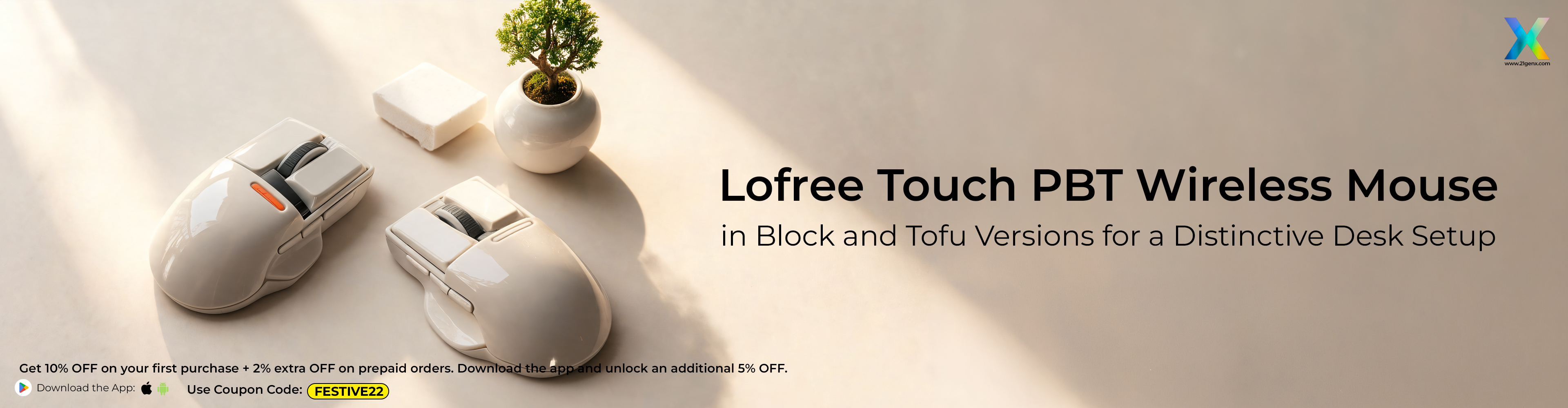
Lofree Touch PBT Wireless Mouse in Block and Tofu Versions for a Distinctive Desk Setup
A mouse is one of the most frequently used accessories in any workspace. Whether you spend your day writing, designing, managing projects, studying, or browsing the internet, it plays an important role in your everyday computer experience. The Lofree Touch PBT Wireless Mouse brings a distinctive design approach to this essential accessory, making it an interesting option for people who want their workspace to reflect their personal style.
Designed for users who appreciate thoughtfully styled technology, the Lofree Touch PBT Wireless Mouse combines a distinctive PBT-inspired design with the convenience of wireless use. It is suitable for people looking for a mouse that complements their laptop, computer, and overall desk arrangement without looking like a conventional office peripheral.
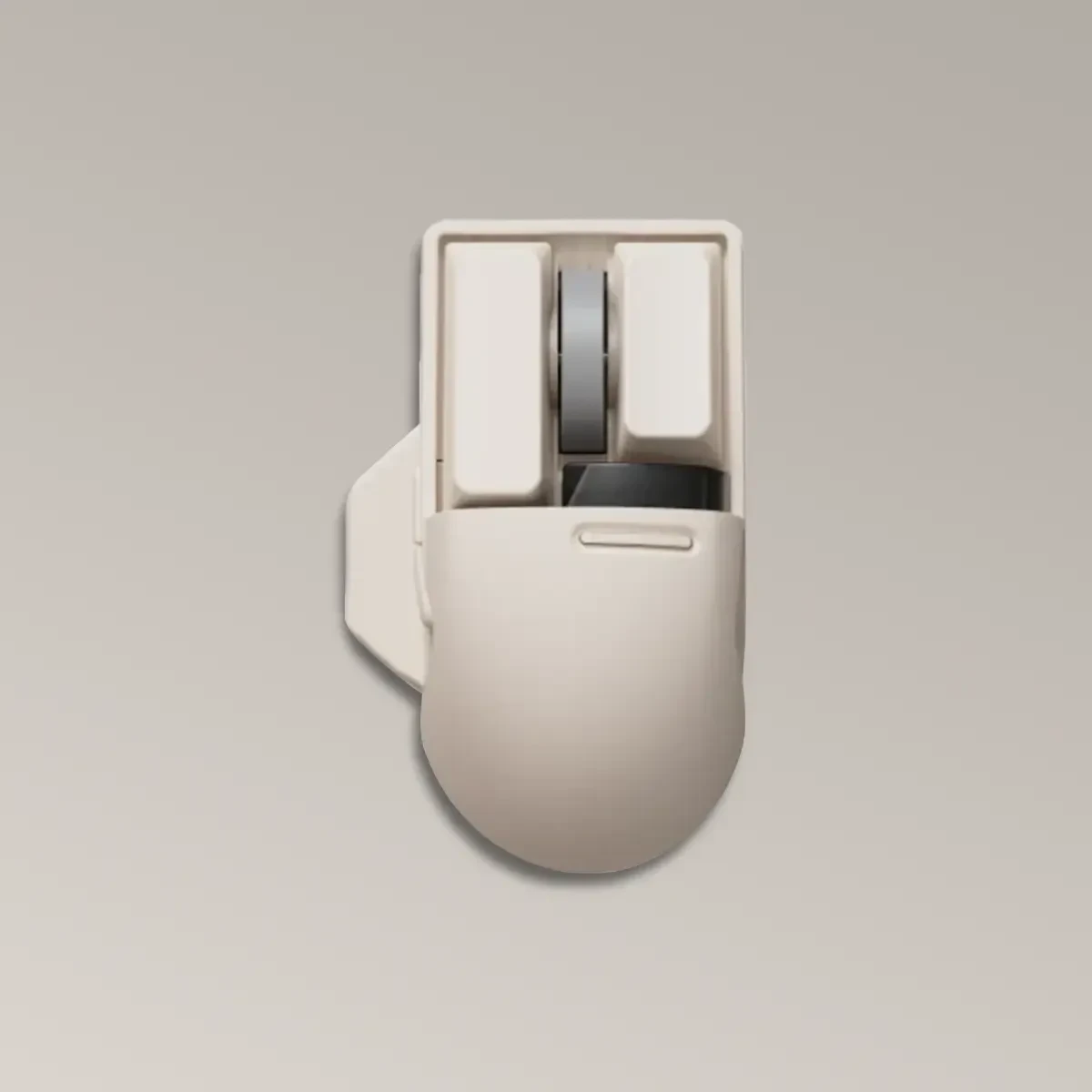
Available in two variants, Block Version and Tofu Version, the Lofree Touch PBT Mouse gives users the opportunity to choose a design that best matches their workspace preferences. Both versions offer an alternative to ordinary computer mice, making the product worth considering for modern home offices, creative desks, and personal workstations.
For users searching for the Lofree Touch PBT Wireless Mouse in India, this product brings together the brand's design-focused approach and the everyday practicality of a wireless computer accessory. Available through 21GenX, it offers Indian customers another way to explore distinctive products from global brands.
What Makes the Lofree Touch PBT Wireless Mouse Special?
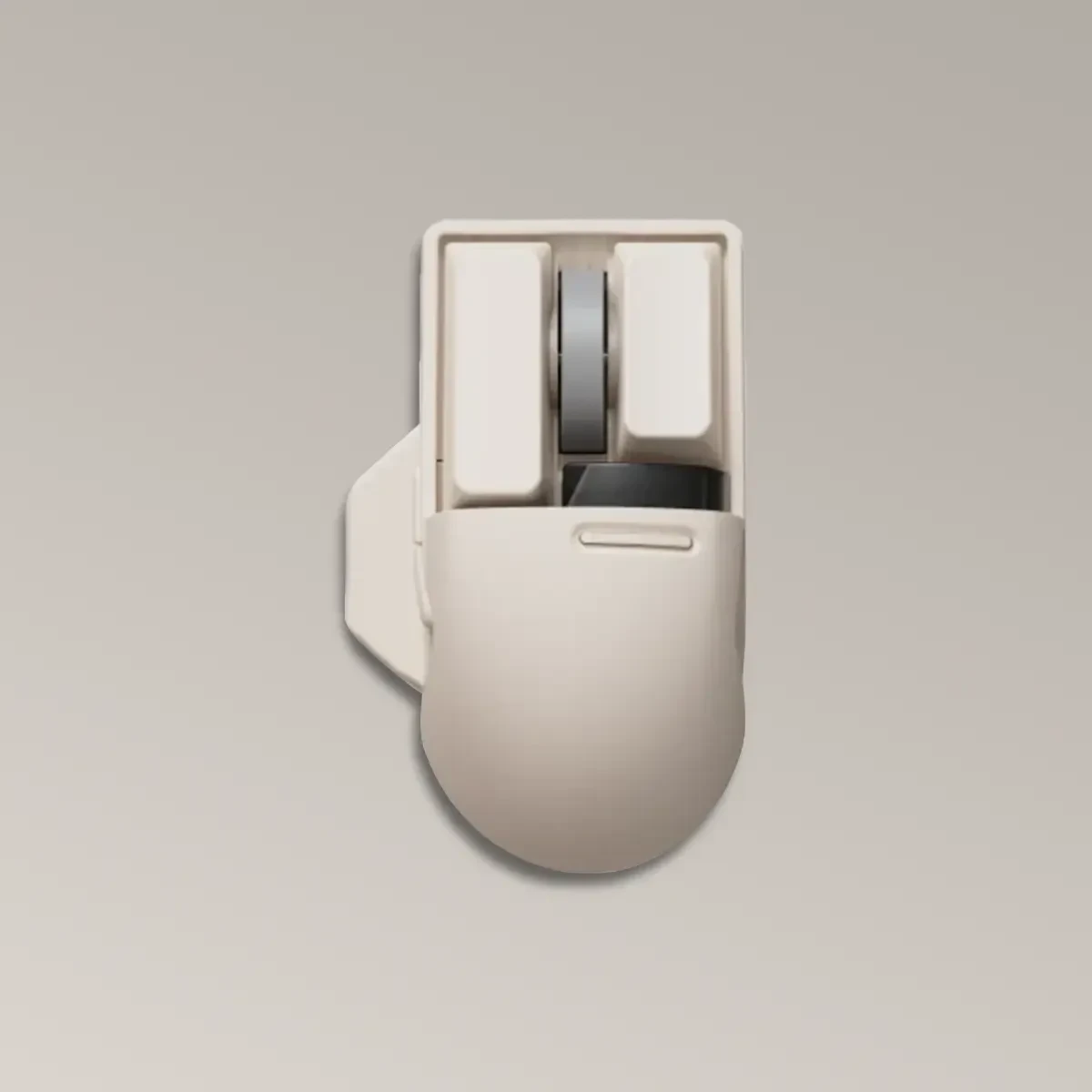
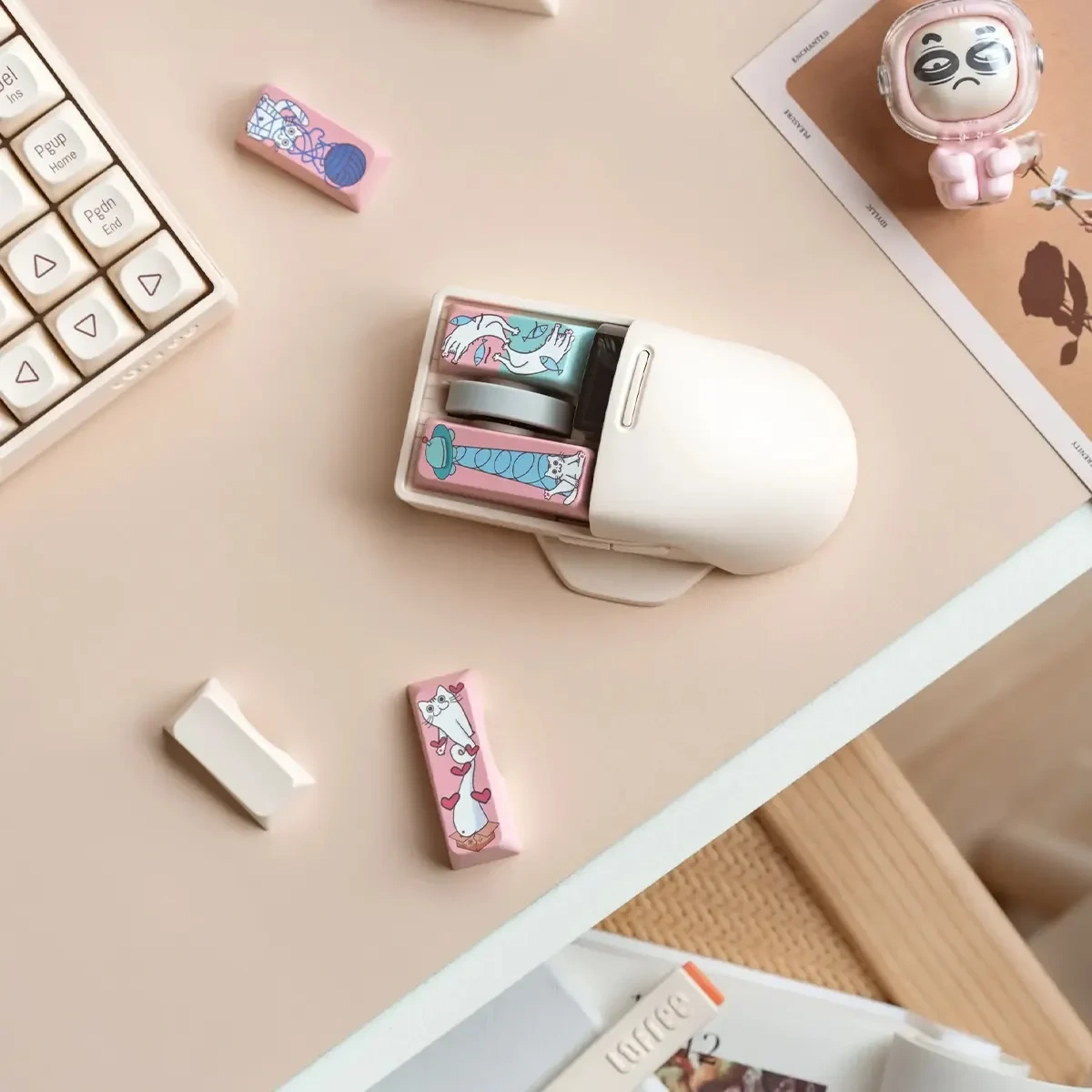
The Lofree Touch PBT Wireless Mouse stands out because it approaches an everyday computer accessory from a design-conscious perspective. A mouse may be a small part of a desk setup, but its appearance and usability can influence how the overall workspace feels. Traditional computer mice are generally designed around a conventional office aesthetic. Lofree takes a different approach by creating products that can complement a more personalised workspace. This makes the Touch PBT Wireless Mouse an appealing option for people who pay attention to their desk's details, from their keyboard and monitor to the smaller accessories they use throughout the day.
The product is available in two versions: Block and Tofu. These options let users explore different design variations and choose a mouse that suits their preferences. For professionals, students, writers, and creative users, the Lofree Touch PBT Wireless Mouse can be considered as part of a more coordinated computer setup. It is especially relevant for those who want their everyday accessories to feel like a considered part of their workspace, not just functional equipment.
Lofree Touch PBT Wireless Mouse Overview
The Lofree Touch PBT Wireless Mouse is designed for everyday computer use, with a focus on distinctive styling and wireless convenience. Its design suits users who want an alternative to the standard look of many office mice.
The availability of the Block Version and Tofu Version is another important consideration. Instead of limiting users to a single look, the two variants give them a choice when selecting a mouse for a personal or professional workspace.
A wireless mouse can also help keep your desk cleaner by reducing the need for a permanent cable connection between the mouse and computer. This is particularly useful for users who prefer a minimal setup or regularly rearrange their workspace.
Key Highlights at a Glance
Feature ---------------------- Lofree Touch PBT Wireless Mouse
Brand ----------------- Lofree
Product Type -------------- Wireless Mouse
Product Name ------------------ Touch PBT Wireless Mouse
Variants ---------------- Block Version and Tofu Version
Primary Use ---------------- Everyday computer navigation
Design Approach --------------- Distinctive, design-focused styling
Intended Setup ----------------- Home office, professional desk, and personal workstation
Product Availability -------------------- 21GenX, India
The overview above highlights the product's known identity and available variants. For technical details such as sensor resolution, connectivity protocol, battery capacity, charging method, and device compatibility, refer to the specifications listed on the 21GenX product page.
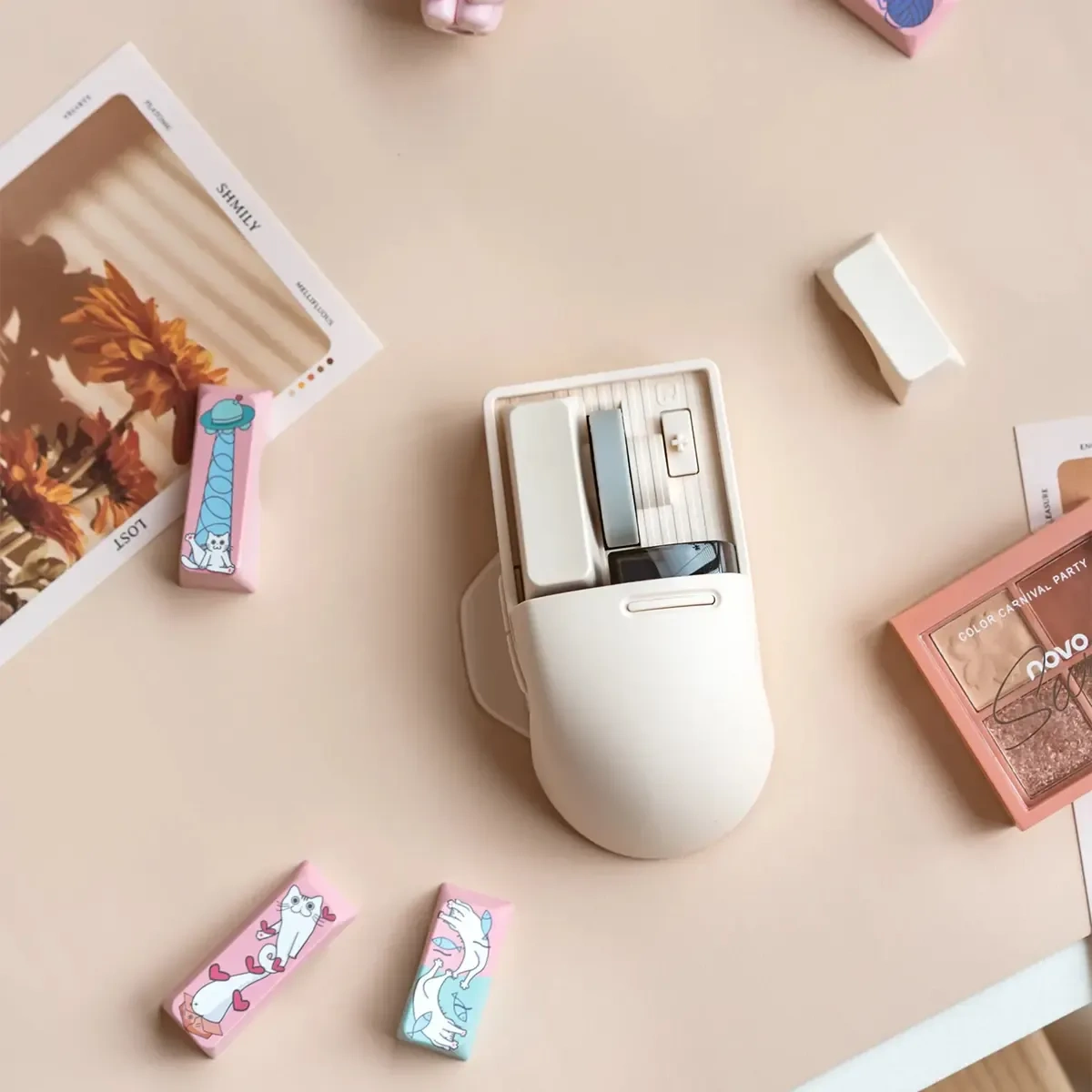
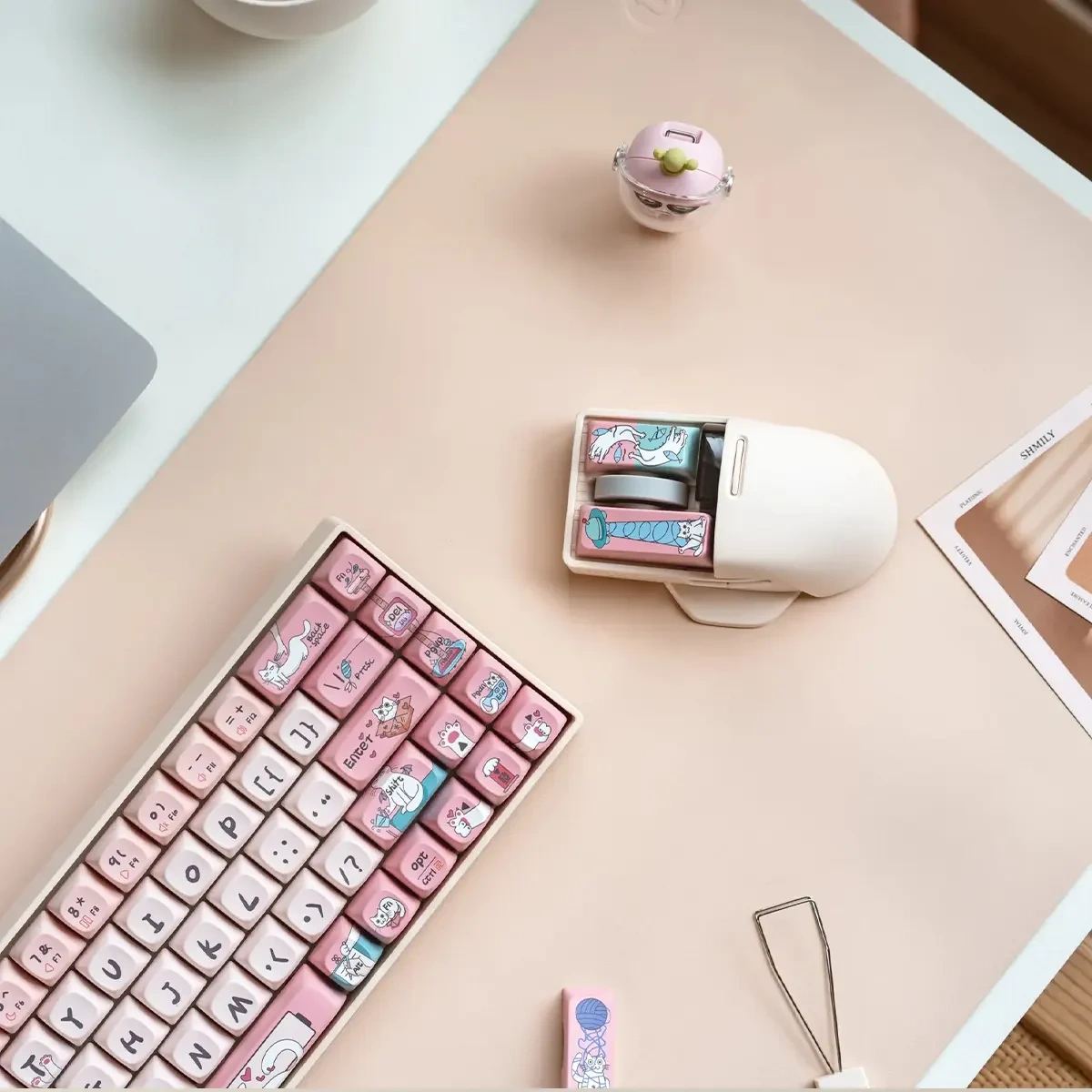
Block Version for a Distinctive Workspace
The Block Version of the Lofree Touch PBT Wireless Mouse is one of the two available variants for users exploring this product. It offers a design that reflects individual preferences. A mouse sits beside the keyboard and often stays in view throughout the workday. Its design can therefore contribute to a desk's overall appearance, especially when paired with a thoughtfully selected keyboard, desk mat, monitor stand, and other accessories.
Users who prefer this variant's visual identity and want their computer accessories to work together as part of a consistent setup may choose the Block Version. For professionals, content creators, and desk setup enthusiasts, choosing a mouse isn't always just about navigation. It can also be about choosing accessories that fit the workspace atmosphere. The Block Version gives users another option to consider when building that environment.
Whether placed on a home office desk or used as part of a dedicated computer workstation, the Lofree Touch PBT Wireless Mouse Block Version brings the product's distinctive design approach into everyday computing.
Tofu Version for a Personalised Desk Setup
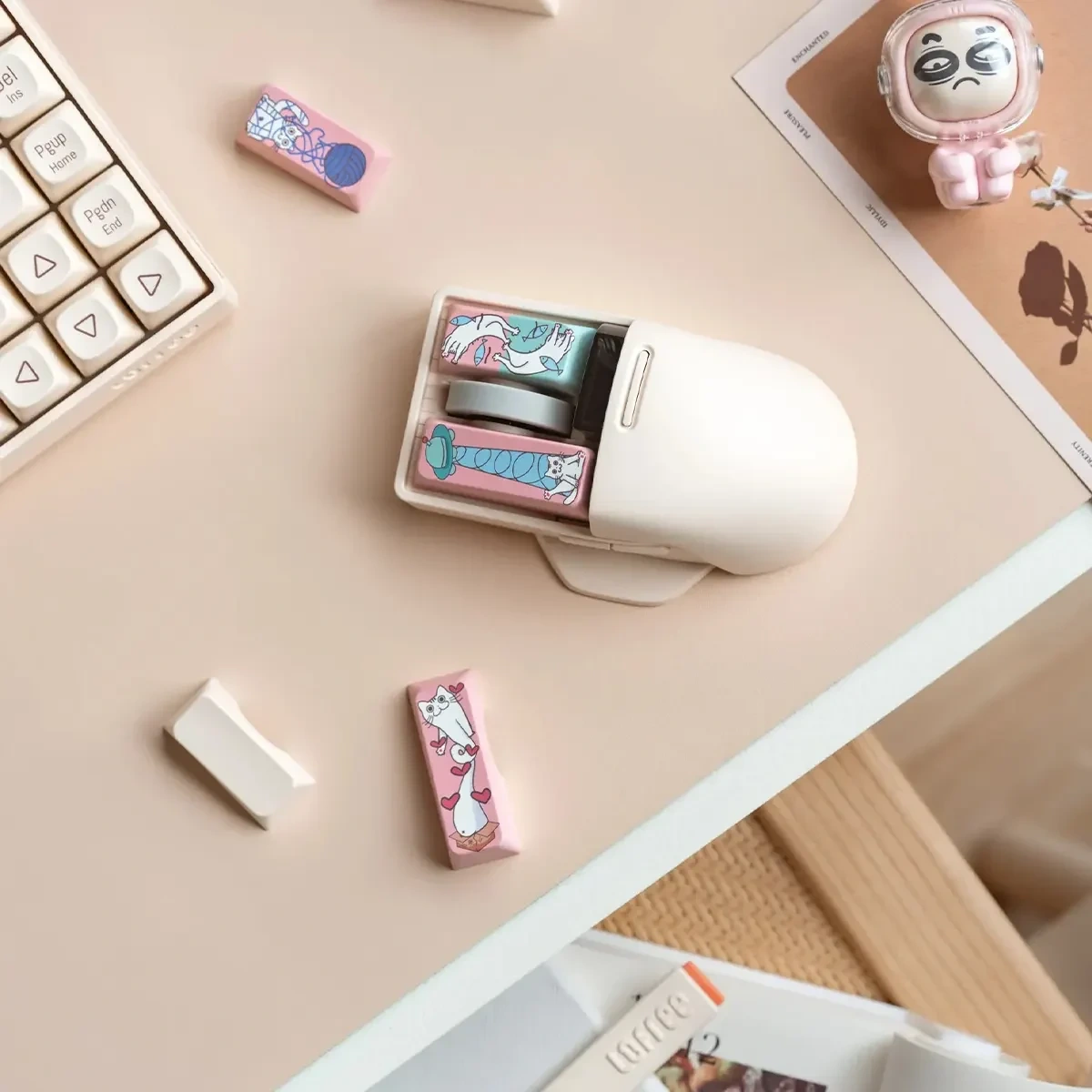
The Tofu Version offers another choice within the Lofree Touch PBT Wireless Mouse range. It lets users choose a different variant to match their preferences, rather than settling for a single design option. When creating a coordinated workspace, small details can make a difference. The keyboard, mouse, desk mat, lighting, and other accessories all contribute to the setup's overall look. Choosing a mouse variant that complements these elements can help create a more cohesive arrangement.
The Lofree Touch PBT Mouse Tofu Version is worth exploring for users who are comparing both available versions before making a purchase. It lets them consider the product's appearance alongside the practical needs of everyday computer use.
For students, professionals, and creative individuals who enjoy personalising their desks, the Tofu Version can become part of a setup that reflects their working habits and individual style. Both variants belong to the same Touch PBT Wireless Mouse range. The most suitable option ultimately depends on the user's design preference and the specifications confirmed on the product listing.
Wireless Convenience for Everyday Computer Use
A wireless mouse can make a workspace feel less cluttered and easier to organise. Without a permanent cable running across the desk, users have greater flexibility when arranging their computer accessories. The Lofree Touch PBT Wireless Mouse is designed around this wireless-mouse format, making it relevant for users who prefer a cleaner desk arrangement. It suits everyday tasks such as browsing, writing, working with documents, preparing presentations, and navigating applications.
For people who alternate between different working environments, a wireless mouse can also be a practical addition to a dedicated workstation or a flexible home office. The absence of a permanently connected mouse cable helps keep the immediate working area visually organised.
Wireless convenience is particularly appealing when combined with a thoughtfully designed keyboard and other accessories. Instead of a desk cluttered with unrelated peripherals, users can build a setup where each item serves a purpose while contributing to the overall look. When considering the Lofree Touch PBT Wireless Mouse, users should check the product listing for the supported connection method, battery details, charging requirements, and device compatibility to ensure that it meets their individual needs.
PBT Design and the Appeal of Distinctive Computer Accessories
The material and design language of a computer accessory can influence how it looks and feels within a workspace. PBT, or polybutylene terephthalate, is an engineering thermoplastic commonly used in computer peripherals, particularly keyboard keycaps. It is valued for its durability and wear resistance compared with many commonly used plastics. However, always confirm an individual product's specific material composition and construction in its official specifications.
The Lofree Touch PBT Wireless Mouse brings PBT into the product's identity, giving users a reason to explore it beyond the appearance of a conventional computer mouse. For people who appreciate thoughtfully designed desk accessories, this emphasis on material and style can be a key part of the purchasing decision. It complements a broader interest in peripherals that match the rest of a modern workspace.
A well-planned desk often combines practical equipment with carefully selected accessories. The mouse, keyboard, desk mat, desktop riser stand, and lighting can all contribute to the final result. Choosing products with compatible visual styles can make the workspace feel more cohesive. The Lofree Touch PBT Wireless Mouse can be considered as part of this approach, particularly by users who want to bring a distinctive accessory into their daily computing routine.
Two Variants to Match Different Preferences
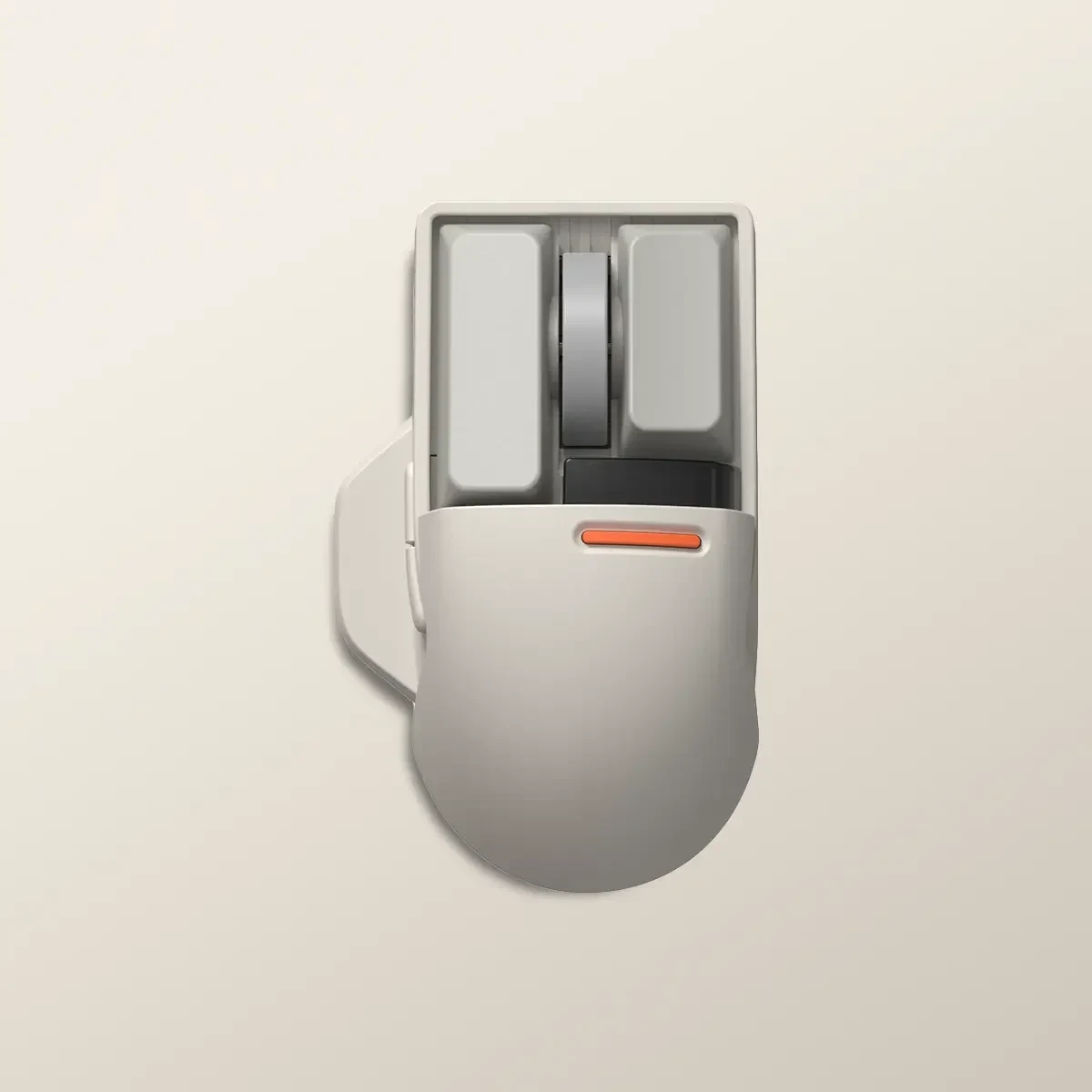
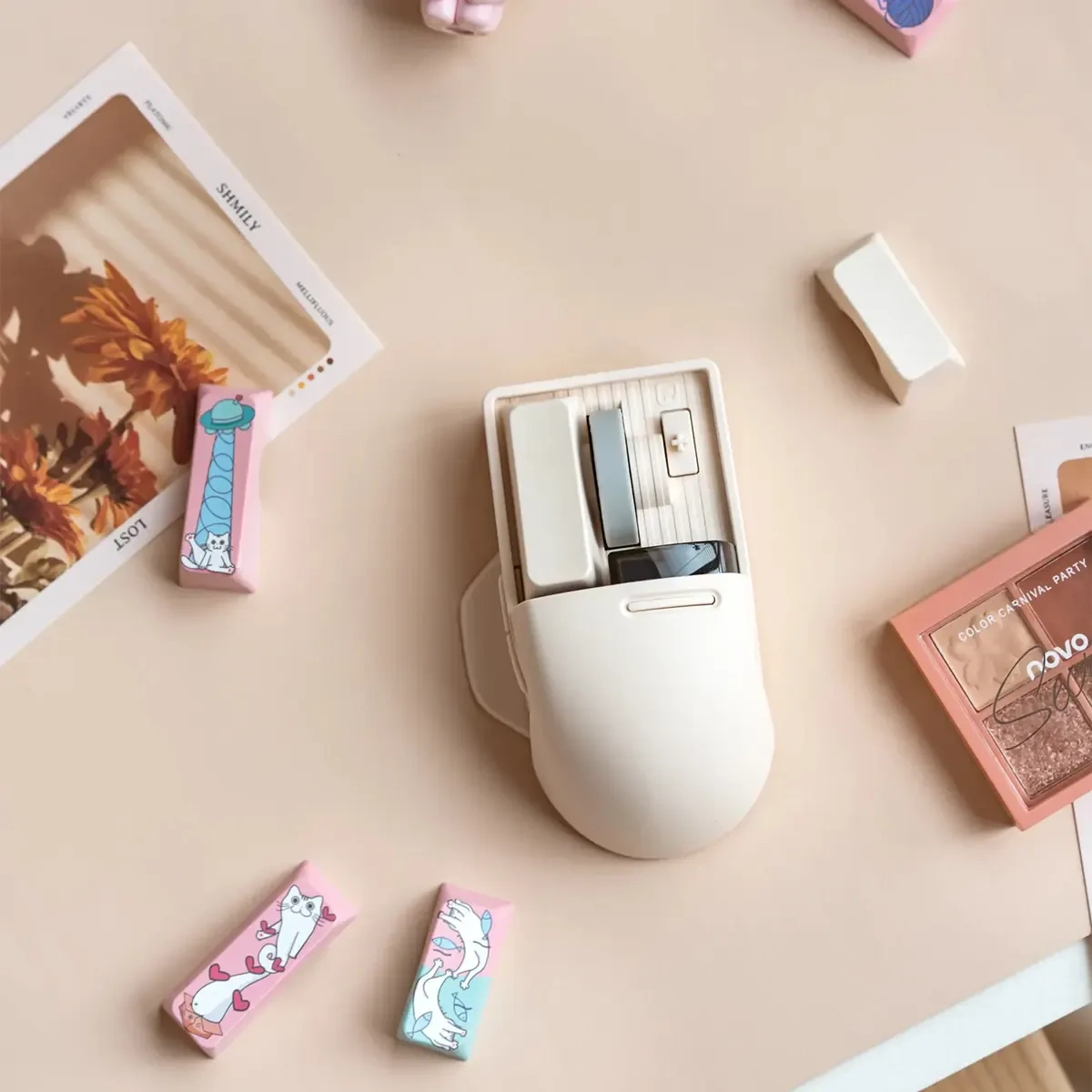
One key consideration when exploring the Lofree Touch PBT Wireless Mouse is its two variants. The Block Version and Tofu Version give buyers a choice when selecting the product. Rather than treating the two variants as different product categories, it is useful to compare them as options within the same mouse range.
Block Version
The Block Version suits shoppers who prefer its design and want to integrate it into their existing computer setup. When choosing this version, consider how it matches your keyboard, desk mat, and other frequently used accessories. A complementary mouse can help create a more consistent workspace.
Tofu Version
The Tofu Version offers an alternative for users who prefer its design. It is another option to explore when comparing the available Lofree Touch PBT mouse variants. If you are updating your workspace, consider how this version fits with the colour palette and overall arrangement of your desk.
Which Version Should You Choose?
The choice between the Block Version and the Tofu Version comes down to personal preference and how you want your desk setup to look. Before purchasing, compare the available product images and variant details on 21GenX. You should also confirm whether any listed technical specifications or included accessories differ between the versions. Both options are in the Lofree Touch PBT Wireless Mouse range, so base your choice on the confirmed product information and the design you prefer.
Why Choose the Lofree Touch PBT Wireless Mouse?
The Lofree Touch PBT Wireless Mouse is worth considering for several reasons, especially if you want an everyday computer accessory with a more distinctive design.
1. Distinctive Product Identity
The Touch PBT name sets this mouse apart from generic office peripherals. It's a good option for users who enjoy exploring computer accessories with a considered design language.
2. Wireless Mouse Format
A wireless mouse can help keep your desk organised by reducing cable clutter around the immediate working area.
3. Two Available Variants
The Block and Tofu versions give users options to compare designs before buying.
4. Suitable for Modern Workspaces
The product suits home offices, study desks, creative workstations, and everyday computer setups.
5. Complements a Coordinated Desk Setup
Pairing your mouse with a keyboard, desk mat, and other compatible accessories can help create a more cohesive workspace.
6. An Alternative to Conventional Office Mice
For people who prefer distinctive computer accessories over standard-looking peripherals, the Lofree Touch PBT Wireless Mouse offers another product to explore.
7. Available Through 21GenX in India
Indian customers can explore the Lofree Touch PBT Wireless Mouse through 21GenX, alongside other products from global brands.
Who Is the Lofree Touch PBT Wireless Mouse Best For?
The Lofree Touch PBT Wireless Mouse can appeal to different types of users depending on their everyday computer habits and design preferences.
For Office Professionals
Office professionals use a mouse for a wide range of everyday tasks, including navigating documents, responding to emails, managing spreadsheets, and preparing presentations. A dedicated wireless mouse can be a useful part of a well-organised workstation. The Lofree Touch PBT Wireless Mouse is worth exploring if you want an alternative to conventional office peripherals and appreciate design-focused accessories. Before choosing it for intensive daily work, check the product specifications to confirm that its connectivity and other features suit your requirements.
For Writers and Content Creators
Writers and content creators often spend long hours working at a computer. Their workspace may include a keyboard, monitor, headphones, and several other frequently used accessories. A mouse is an important part of this environment because it supports navigation between documents, browser tabs, editing tools, and creative applications. For users who enjoy building a visually coordinated workstation, the Lofree Touch PBT Wireless Mouse can complement a personalised desk setup while serving as an everyday computer accessory.
For Designers and Creative Professionals
Designers often pay close attention to the appearance of the tools and objects around them. A workspace can be both a functional environment and a reflection of individual creative preferences. The Block and Tofu variants give design-conscious users options to explore within the Lofree Touch PBT Wireless Mouse range. If your workstation features a coordinated keyboard, monitor stand, and desk mat, choose a mouse that complements those accessories to maintain a consistent visual theme.
For Students
Students use computer mice for research, assignments, online classes, presentations, and general browsing. A wireless mouse can be a practical addition to a study desk, especially for students who prefer an organised workspace. The Lofree Touch PBT Wireless Mouse is worth considering if you want an alternative to a standard computer mouse. Students should compare the available specifications with their laptop or computer requirements before purchasing.
For Desk Setup Enthusiasts
Desk setup enthusiasts often look beyond basic functionality when selecting computer accessories. They may pay attention to product design, material, colour, and how different peripherals look together. For this audience, the Lofree Touch PBT Wireless Mouse comes in two variants. It can fit into a larger setup built around a complementary keyboard, desk mat, monitor stand, and other accessories.
How to Incorporate the Lofree Touch PBT Wireless Mouse Into Your Workspace
A coordinated workspace doesn't require replacing every accessory at once. Sometimes, introducing one carefully selected product can be a starting point for gradually refining your desk. You can incorporate the Lofree Touch PBT Wireless Mouse into your setup in several ways.
Create a Coordinated Keyboard and Mouse Setup
Your keyboard and mouse are among the most-used accessories on a computer desk. Choosing complementary products can create a more consistent visual arrangement. Consider the colours, shapes, and overall styling of your existing keyboard when selecting between the Block Version and Tofu Version.
Keep the Desk Surface Organised
A desk mat can define the area your keyboard and mouse occupy. It also creates a clear visual boundary for your primary working accessories. Choose a mat that leaves enough room for comfortable mouse movement and fits your desk dimensions.
Pair It With a Suitable Monitor Stand
A monitor stand can help organise the space around your screen and create additional room beneath the monitor, depending on its design. When combined with a thoughtfully arranged keyboard and mouse, it can contribute to a more organised workstation.
Choose Accessories That Suit Your Routine
Your workspace should reflect how you use your computer. A writer may prioritise a comfortable typing area, while a designer may need sufficient space for creative tools and other equipment. Consider your daily requirements before adding accessories. The aim is to create a workspace that feels organised and supports your regular activities.
Lofree Touch PBT Wireless Mouse vs a Regular Office Mouse
A comparison can help clarify what to consider when choosing between a design-focused mouse and a conventional office mouse.
Feature ---------------- Lofree Touch PBT Wireless Mouse ------------------- Regular Office Mouse
Product Identity ----------- Lofree Touch PBT range ----------------- Varies by brand and model
Design Options ------------------ Block and Tofu versions ------------- Depends on the model
Product Focus ------------------ Wireless use with distinctive styling ----------------- Varies by product
Workspace Appeal --------------------- Suitable for a personalised desk setup ------------------- Depends on the design
Connectivity Details --------------------- Confirm on the product listing --------------------- Depends on the model
Sensor Specifications ---------------------- Confirm on the product listing ---------------------- Depends on the model
Battery and Charging ---------------------- Confirm on the product listing ------------------ Depends on the model
Device Compatibility -------------------- Confirm on the product listing ------------------- Depends on the model
Best Selection Criteria ------------------- Design, confirmed specifications, and intended use -------------- Design, specifications, and intended use
This comparison is intended as a general buying guide rather than a claim that every conventional mouse has the same features. The Lofree Touch PBT Wireless Mouse is particularly relevant to users who want to explore a distinctive product design. However, factors such as sensor performance, connectivity, battery life, and compatibility should also influence your final decision.
Why Lofree?
Lofree approaches everyday technology with an emphasis on design and the daily experience of using products. Its product range appeals to people who want their everyday accessories to add character to their surroundings. This approach matters especially for computer peripherals because keyboards and mice are often visible parts of a workspace. They are used frequently, stay close at hand, and can influence a desk's overall look.
For users who appreciate products that blend function with distinctive style, Lofree offers an alternative to conventional computer accessories. The Touch PBT Wireless Mouse extends this interest to the mouse category, offering Block and Tofu variants for those who want to explore the available designs. Whether you are updating a home office, creating a dedicated study area, or refining a personal workstation, the Lofree Touch PBT Wireless Mouse is a strong option for your next computer accessory.
Why Buy the Lofree Touch PBT Wireless Mouse From 21GenX?
21GenX offers the Lofree Touch PBT Wireless Mouse, giving Indian customers a place to explore the product and its available variants. 21GenX brings products from global brands to Indian shoppers across technology, office accessories, lifestyle, home, and other categories. This lets you explore distinctive products for different aspects of everyday life from one shopping destination.
The shopping benefits listed by 21GenX include:
- Free Shipping Across India
- Extra 2% Off on Prepaid Orders
- Easy Exchange & Hassle-Free Returns
- Authentic Products Guaranteed
- 100% Secure Payments & Trusted Checkout
These benefits are meant to make shopping more convenient for customers exploring products on the platform. Check the current product listing and applicable terms for details before placing your order. If you are searching for the Lofree Touch PBT Wireless Mouse in India, visit the product page to review available variants and choose the one that best fits your needs.
Tips for Maintaining Your Wireless Mouse
Regular care can help keep your wireless mouse clean and ready for everyday use. A few simple habits can help maintain its appearance and support its continued use.
Keep the Surface Clean
Dust and fingerprints can build up on a mouse with regular handling. Use a soft, dry cloth to gently clean the exterior. Follow the manufacturer's cleaning recommendations, particularly if the product has a specialised surface or finish.
Avoid Liquid Exposure
Keep drinks away from your computer accessories whenever possible. Liquid exposure can damage electronic components and may affect the product's operation. If you need to clean the mouse, avoid spraying cleaning solutions directly onto the device.
Use It on a Suitable Surface
A clean, appropriate work surface supports consistent mouse movement. Regularly remove dust and debris from the desk or mouse mat. If you use a desk mat, keep its surface clean to prevent accumulated particles from interfering with everyday use.
Store It Carefully
When carrying the mouse between home, office, or study locations, keep it in a suitable compartment to protect it from unnecessary pressure and impacts. Avoid placing heavy objects on top of it inside a bag.
Follow the Recommended Power and Charging Practices
Refer to the product documentation for information about battery use, charging, and storage. Following the manufacturer's instructions is the best way to maintain the device properly.
FAQ
Q. What is the Lofree Touch PBT Wireless Mouse?
A. The Lofree Touch PBT Wireless Mouse is a wireless computer mouse from Lofree, designed for users looking for a distinctive alternative to conventional computer peripherals.
Q. What variants are available for the Lofree Touch PBT Wireless Mouse?
A. The two available variants are the Block Version and the Tofu Version.
Q. What is the difference between the Block Version and the Tofu Version?
A. They are two variants of the same product range. Compare the product images and variant details on 21GenX to decide which version suits your preferences.
Q. Where can I buy the Lofree Touch PBT Wireless Mouse in India?
A. You can explore the Lofree Touch PBT Wireless Mouse on 21GenX, where the product is listed for Indian customers.
Q. Is the Lofree Touch PBT Wireless Mouse suitable for office use?
A. It is worth considering for everyday office tasks, including document work, browsing, and general computer navigation. Check the detailed specifications to ensure it meets your requirements.
Q. Can I use the Lofree Touch PBT Wireless Mouse for studying?
A. Yes, a wireless mouse can be useful for study-related activities such as browsing, preparing assignments, and navigating documents, provided the product is compatible with your device.
Q. Is the Lofree Touch PBT Wireless Mouse suitable for content creators?
A. It can be considered by content creators who want a distinctive mouse for their workstation. Those working with specialised creative software should also check the product's technical specifications against their needs.
Q. Does the Lofree Touch PBT Wireless Mouse support wireless connectivity?
A. It is listed as a wireless mouse. Refer to the product listing for the precise connection method and supported devices.
Q. What devices are compatible with the Lofree Touch PBT Wireless Mouse?
A. Check the compatibility information on the 21GenX product page to confirm whether it supports your specific computer or operating system.
Q. What is the battery capacity of the Lofree Touch PBT Wireless Mouse?
A. Refer to the product specifications on 21GenX for the confirmed battery capacity and power requirements.
Q. Does the Lofree Touch PBT Wireless Mouse require charging?
A. The exact power and charging requirements should be confirmed through the product listing or manufacturer's documentation.
Q. Is the Lofree Touch PBT Wireless Mouse suitable for a minimal desk setup?
A. Its wireless format makes it worth considering for users who prefer a desk with fewer cables and a more organised appearance.
Q. Why should I consider a Lofree wireless mouse?
A. Lofree is an option for users who appreciate distinctive styling in everyday technology. The Touch PBT Wireless Mouse offers two variants to explore when choosing a mouse for a personalised workspace.
Q. What should I check before buying the Lofree Touch PBT Wireless Mouse?
A. Review the connection method, device compatibility, sensor specifications, battery and charging details, dimensions, and other information provided on the product page.
Q. What shopping benefits does 21GenX offer?
A. 21GenX lists benefits including free shipping across India, an extra 2% off on prepaid orders, easy exchange and hassle-free returns, authentic products guaranteed, and secure payments through its trusted checkout.
Final Thoughts
The Lofree Touch PBT Wireless Mouse is worth exploring if you want an everyday computer accessory that moves beyond the conventional office-mouse aesthetic. Its distinctive identity and wireless design appeal to users who value both practical peripherals and a thoughtfully arranged workspace.
The availability of the Block Version and Tofu Version adds flexibility when choosing the design that best suits your preferences. Whether you are setting up a home office, organizing a study desk, or refining a creative workstation, choosing a mouse that complements your other accessories can create a more cohesive environment.
For professionals, students, writers, designers, and desk setup enthusiasts, the Lofree Touch PBT Wireless Mouse offers another option to consider when building a personalised computer setup. Before purchasing, review the confirmed specifications and compatibility details to ensure that the product meets your everyday requirements.
If you are looking for the Lofree Touch PBT Wireless Mouse, Lofree Touch PBT Mouse in India, Lofree Wireless Mouse in India, or Lofree Touch Wireless Mouse, you can explore the product on 21GenX and compare the Block and Tofu versions. With its distinctive design and everyday usability, the Lofree Touch PBT Wireless Mouse can be a strong addition to a modern workspace, bringing a design-focused approach to one of the most-used computer accessories.